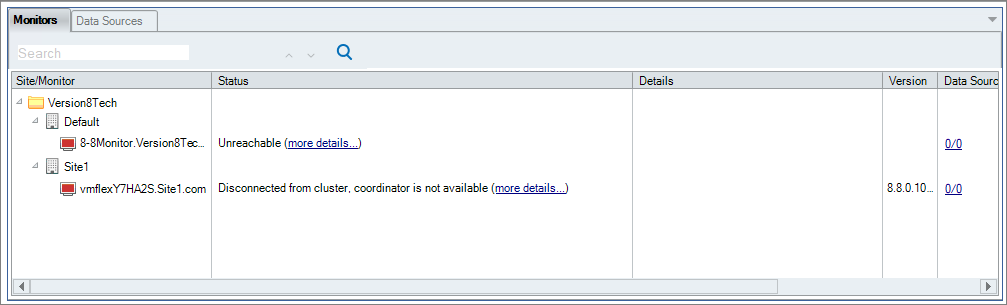
For all monitors within your ControlUp Monitor cluster to function correctly, they must be able to connect to the master (management) monitors. Without a connection over TCP port 40706 to the master monitors, an error message will appear on the Monitor Management screen within the Console:
Error Message
Disconnected from cluster, coordinator is not available
Solution
Ensure that two-way communication on TCP port 40706 is set up for the monitors. After you've established both inbound and outbound connections over port 40706 with the master monitor, you can use the following PowerShell cmdlet to check the connectivity:
Test-NetConnection -ComputerName 8-8Monitor.Version8Tech.com -Port 40706
