The Issue:
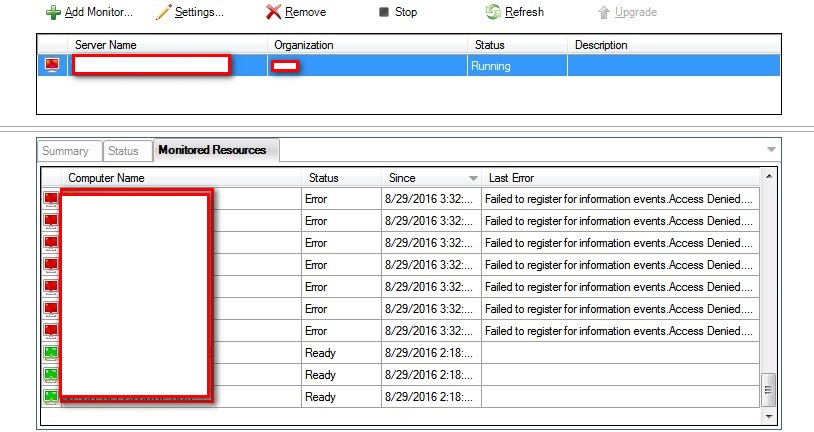
The ControlUp Monitor service doesn't connect to all monitored resources.
The error you see is - "Failed to register for information events..."
The Reason:
The AD user defined in the Monitor settings as the user for authentication towards the managed computers is not allowed to monitor computers (connect to agents) in the Security Policy.
The Solution:
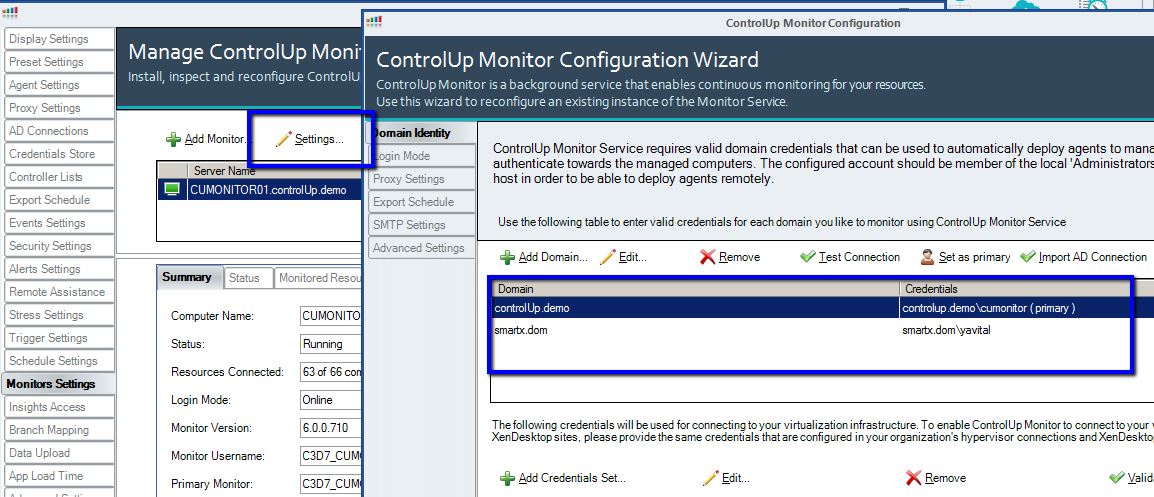
From the Console to Settings -> Monitor Settings and click the Settings button.
Find the AD user defined in the domain identity top window, as marked in the following screenshot -
Next step is to verify in the Security Policy that the same user is not part of a Role which does not have the permission "Connect to Windows Machine" over those folders or machines.
Assign the Monitor Machine to the AD user to connect to your monitored resources.
For more information about User Delegation, click here.