Introduction
The Insights On-Premises (IOP) Forwarder is a lightweight application that collects and forwards data from a dedicated folder to an indexer residing on the IOP server. The data, also called activity files, is stored in a folder that you defined during the installation of the ControlUp On-Premises server.
Installation Files
Installation files for all on-premises components are provided by our support team. Contact us at support@controlup.com.
Installation Path
If you use a local directory on the monitor machine, install the IOP Forwarder on each monitor machine.
If you use a network share on which the activity files are stored, then you need to install the IOP Forwarder on the machine where the network folder resides.
Prerequisites
A Windows Server machine with the ControlUp Monitor installed
An IOP server that retrieves the activity files from the IOP Forwarder.
Installation Guide
In this section, we show you how to install the IOP Forwarder on a monitor machine. If you use a monitor cluster, perform these steps on each monitor machine separately.
Run the iop_forwarder[versionNumber].msi
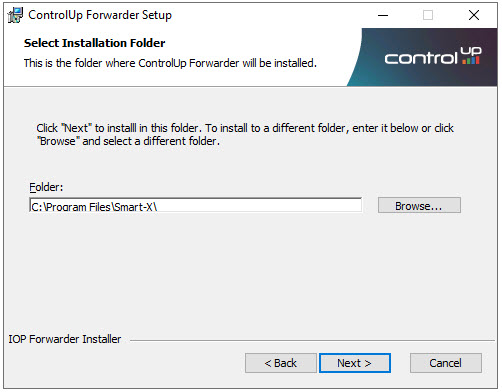
Provide the installation path and click Next
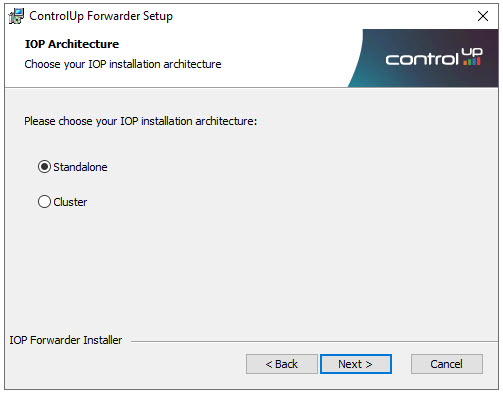
From the IOP architecture screen, select your IOP deployment type.
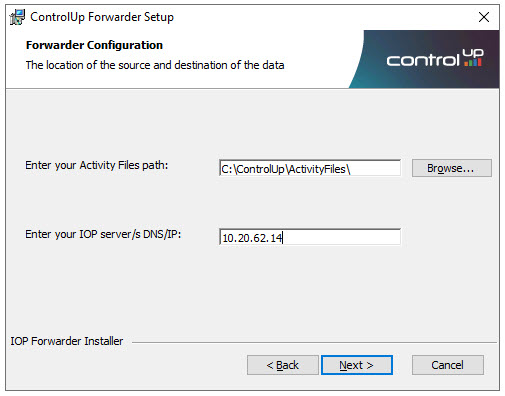
From the forwarder configuration screen, provide the folder path of the activity files and the IP/DNS of the IOP server. Click Next.
Important
The Activity Files path must match the configured activity files folder in the COP configuration.
Click Install to run the installation.