ControlUp enhances your monitoring and troubleshooting toolset by monitoring vSAN-based datastores. In VMware vSphere environments, vSANs are gaining popularity. ControlUp leverages vSAN's API to gather vSAN metadata and metrics, enabling fine-grained visibility into the configuration and activity of your vSAN infrastructure.
For vSphere hypervisor connections that contain a vSAN configuration, ControlUp seamlessly detects vSAN objects and display related metrics in the Datastores, Datastores on Hosts, and Folders views. By using ControlUp to monitor vSAN, you can troubleshoot from the datastore level, to virtual disks and guest VM activity, to pinpoint the users or applications performing the workloads.
Getting Started with vSAN
If you already have a vSphere connection, in addition to the following prerequisites, vSAN information displays automatically: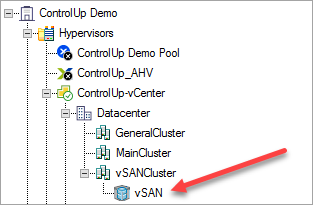
System Requirements for the Data Collector
PowerShell Version 5.0 or higher, with activated RemoteSigned execution policy.
VMware PowerCLI 10.1.1 or higher.
.NET framework 4.5 or higher.
vSAN Requirements
vSAN Performance service must be turned on.
The user account configured for the hypervisor connection requires the StorageViews.View permission.
Special characters aren't supported for the account password.
Note
By default, the console performs data collection. If you install monitors or data collectors in a different location, as recommended for large environments, the prerequisites above apply to them as well.
Troubleshooting
If your console crashes, it may be caused by the vSAN data collection.
To disable vSAN data collection, use the following registry setting:
Registry Key: HKLM\SOFTWARE\Smart-X\ControlUp\Agent\ExclusionRules
Key Name to Add: EnablevSAN
Value Type: REG_DWORD
Value Data: 0 (Disabled)