The following article is an overview of all the Azure metrics integrated into ControlUp. Additionally, you'll learn how to access each of these metrics.
Subscription Level
Real-Time DX Console
Right-click the Azure subscription > Focus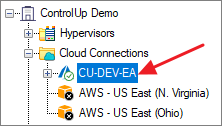
VDI App
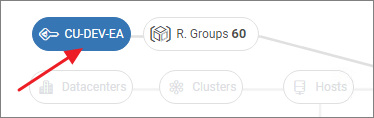
Column Name | Description | Note |
|---|---|---|
AZ % AIP Variance | The percentage variance between credentials used for Azure data collection | |
AZ % Budget Remaining | Percentage remaining for the budget most at risk of breaching the threshold | |
AZ % Exceeded Budgets | Percentage of budgets which have exceeded configured thresholds | |
AZ % Rate Limit Usage | % calculated requests remaining in the current enforcement period across all configured credentials, each credential has 12,000 requests/hour enforced against a subscription | |
AZ % Subscriptions with budgets | Percentage of subscriptions with enabled budgets | |
AZ AIP Stats | The number of remaining requests in the current Microsoft enforcement per credential | |
AZ App Service Cost (Last Month) | AZ App Service Cost (Last Month) | |
AZ App Service Cost (Month-to-Date) | Current monthly rate that you will be charged for App Service | |
AZ App Service Plan Cost (Last Month) | AZ App Service Plan Cost (Last Month) | |
AZ App Service Plan Cost (Month-to-Date) | Current monthly rate that you will be charged for App Service Plan | |
AZ Application Insights Cost (Last Month) | AZ Application Insights Cost (Last Month) | |
AZ Application Insights Cost (Month-to-Date) | Current monthly rate that you will be charged for Application Insights | |
AZ Automation Account Cost (Last Month) | AZ Automation Account Cost (Last Month) | |
AZ Automation Account Cost (Month-to-Date) | Current monthly rate that you will be charged for Automation Account | |
AZ Bastion Cost (Last Month) | AZ Bastion Cost (Last Month) | |
AZ Bastion Cost (Month-to-Date) | Current monthly rate that you will be charged for Bastion | |
AZ Budget | Azure budget state | |
AZ Budget Count | Number of Azure budgets | |
AZ Budget Days to next expiration | Days to the next Azure budget expiration | |
AZ Compute Cost - Last Month | AZ Last Month Compute Cost | |
AZ Compute Cost (Month-to-Date) | Current monthly cost for compute resources, including non-IaaS services Time frame is "this month" | |
AZ Compute Gallery Cost (Last Month) | AZ Compute Gallery Cost (Last Month) | |
AZ Compute Gallery Cost (Month-to-Date) | Current monthly rate that you will be charged for Compute Gallery | |
AZ Compute Images Cost (Last Month) | AZ Compute Images Cost (Last Month) | |
AZ Compute Images Cost (Month-to-Date) | Current monthly rate that you will be charged for Compute Images | |
AZ Cost Type | Shows the type of cost analysis view queried from the Azure cost service. (The view type can be Actual Cost or Amortized CostIt is controlled by a registry key on the data collector) | |
AZ DDoS Protection Plan Cost (Last Month) | AZ DDoS Protection Plan Cost (Last Month) | |
AZ DDoS Protection Plan Cost (Month-to-Date) | Current monthly rate that you will be charged for DDoS Protection Plan | |
AZ Disk Cost - Last Month | Last Month for disks as reported by Azure | |
AZ Disk Cost (Month-to-Date) | Current monthly rate that you will be charged for data disks attached to this VM | |
AZ Disks | Total number of Azure virtual disks in this folder | |
AZ EventHub Cost (Last Month) | AZ EventHub Cost (Last Month) | |
AZ EventHub Cost (Month-to-Date) | Current monthly rate that you will be charged for EventHub | |
AZ Forecast Cost | Show a projection of your Subscription estimated costs as reported by Azure Time frame is "this month" | |
AZ ID | Azure resource identifier | |
AZ Inter-Continental Bandwidth Cost (Month-to-Date) | Azure network charges for traffic between continents | |
AZ Inter-Region Bandwidth Cost (Month-to-Date) | Azure network charges for traffic between regions in the same continent | |
AZ Key Vault Cost (Last Month) | AZ Key Vault Cost (Last Month) | |
AZ Key Vault Cost (Month-to-Date) | Current monthly rate that you will be charged for Key Vault | |
AZ Location | Geographic region where the resource is deployed | |
AZ Log Analytics Cost (Last Month) | AZ Log Analytics Cost (Last Month) | |
AZ Log Analytics Cost (Month-to-Date) | Current monthly rate that you will be charged for Log Analytics | |
AZ Machine Cost - Last Month | Last Month for Virtual Machines as reported by Azure | |
AZ Machine Cost (Month-to-Date) | Current monthly rate that you will be charged for VMs Time frame is "this month" | |
AZ Machines | The total number of Azure machines | |
AZ Microsoft Global Network Routing Bandwidth Egress Cost (Month-to-Date) | Azure network charges for egress traffic traversing the Microsoft Global Network (MGN) | |
AZ Microsoft Global Network Routing Bandwidth Ingress Cost (Month-to-Date) | Azure network charges for ingress traffic traversing the Microsoft Global Network (MGN) | |
AZ NetApp Files Cost (Last Month) | AZ NetApp Files Cost (Last Month) | |
AZ NetApp Files Cost (Month-to-Date) | Current monthly rate that you will be charged for NetApp Files | |
AZ Network Cost - Last Month | Last Month, for Networking (Public IP addresses, Network watchers, Connections, Virtual Network Gateways, Load balancers) as reported by Azure Time frame is "this month" | |
AZ Network Cost (Month-to-Date) | Current monthly rate that you will be charged for Azure network servicesIncludes Public IP addresses, Network watchers, Connections, Virtual Network Gateways, Load balancers, and more | |
AZ Network Gateway Cost (Month-to-Date) | Azure network charges for gateway traffic | |
AZ Network Security Groups Cost (Last Month) | AZ Network Security Groups Cost (Last Month) | |
AZ Network Security Groups Cost (Month-to-Date) | Current monthly rate that you will be charged for Network Security Groups | |
AZ Network Watcher Cost (Last Month) | AZ Network Watcher Cost (Last Month) | |
AZ Network Watcher Cost (Month-to-Date) | Current monthly rate that you will be charged for Network Watcher | |
AZ Provisioning State | Status of a user-initiated, control-plane operation on the Azure resource | |
AZ Public IP Cost (Last Month) | AZ Public IP Cost (Last Month) | |
AZ Public IP Cost (Month-to-Date) | Current monthly rate that you will be charged for Public IP addresses | |
AZ Quota ID | Azure quota identifier | |
AZ Resource Groups | Total number of Azure resource groups in this folder | |
AZ Retries (Past Hour) | Number of times in the past hour, Azure has rejected requests to collect data for your subscriptions | |
AZ Running Machines | The total number of running Azure machines | |
AZ Scale Set Cost - Last Month | Last Month for Scale set as reported by Azure | |
AZ Scale Set Cost (Month-to-Date) | Current monthly rate that you will be charged for scale sets. Time frame is "this month" | |
AZ Snapshot Cost - Last Month | Last Month for Snapshots as reported by Azure | |
AZ Snapshot Cost (Month-to-Date) | Current monthly rate that you will be charged for Azure network services, includes Public IP addresses, Network watchers, Connections, Virtual Network Gateways, Load balancers, and more. Time frame is "this month" | |
AZ SQL Server Cost (Last Month) | AZ SQL Server Cost (Last Month) | |
AZ SQL Server Cost (Month-to-Date) | Current monthly rate that you will be charged for SQL Server | |
AZ Status | Current state of the Azure subscription (possible values are Enabled, Warned, Past Due, Disabled, and Deleted) | |
AZ Stopped Machines Cost (Last Month) | Last Month of stopped Azure machines (machine, bandwidth & disks) | |
AZ Stopped Machines Cost (Month-to-Date) | Total cost of stopped Azure machines This includes the VM, bandwidth, and disks | |
AZ Stopped Machines | The total number of stopped Azure machines | |
AZ Storage Accounts Cost - Last Month | Last Month for Azure storage account services as reported by Azure | |
AZ Storage Accounts Cost (Month-to-Date) | Current monthly rate that you will be charged for Azure storage account services Time frame is "this month" | |
AZ Subscription ID | Azure subscription resource identifier | |
AZ Subscriptions | Total number of Azure subscriptions in this folder | |
AZ Tags | Tags associated with Azure resource | |
AZ Tenant ID | Azure tenant resource identifier | |
AZ Total Bandwidth Cost (Month-to-Date) | Azure network charges for all traffic | |
AZ Total Cost (Annual) | Annual total Azure charges | |
AZ Total Cost (Last Month) | Last month that Including non-IaaS services, as reported by Azure | |
AZ Total Cost (Month-to-Date) | Current overall monthly rate that you will be charged including non-IaaS services Time frame is "this month" | |
AZ Total Disks Capacity | Total capacity, in gigabytes, of all the Azure virtual disks in this folder | |
AZ Type | Azure resource type |
Resource Groups
Real-Time DX Console
Right-click the Azure resource group > Focus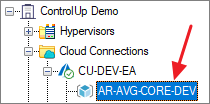
VDI App
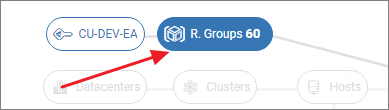
Column Name | Description | Note |
|---|---|---|
AVD % Available Machines | Percentage of powered on AVD machines in an Available state | |
AVD Active Sessions | Total number of Active AVD User Sessions | |
AVD Application Groups | Total number of AVD Application Groups | |
AVD Host Pools | Total number of AVD Host Pools | |
AVD Machines | Total number of AVD Machines | |
AVD Remote Apps | Total number of AVD Remote Apps | |
AVD User Sessions | Total number of AVD user sessions | |
AVD Workspaces | Total number of AVD Workspaces | |
AZ % AIP Variance | The percentage variance between credentials used for Azure data collection | |
AZ % Rate Limit Usage | % calculated requests remaining in the current enforcement period across all configured credentials, each credential has 12,000 requests/hour enforced against a subscription | |
AZ AIP Stats | The number of remaining requests in the current Microsoft enforcement per credential | |
AZ App Service Cost (Last Month) | AZ App Service Cost (Last Month) | |
AZ App Service Cost (Month-to-Date) | Current monthly rate that you will be charged for App Service | |
AZ App Service Plan Cost (Last Month) | AZ App Service Plan Cost (Last Month) | |
AZ App Service Plan Cost (Month-to-Date) | Current monthly rate that you will be charged for App Service Plan | |
AZ Application Insights Cost (Last Month) | AZ Application Insights Cost (Last Month) | |
AZ Application Insights Cost (Month-to-Date) | Current monthly rate that you will be charged for Application Insights | |
AZ Automation Account Cost (Last Month) | AZ Automation Account Cost (Last Month) | |
AZ Automation Account Cost (Month-to-Date) | Current monthly rate that you will be charged for Automation Account | |
AZ Bastion Cost (Last Month) | AZ Bastion Cost (Last Month) | |
AZ Bastion Cost (Month-to-Date) | Current monthly rate that you will be charged for Bastion | |
AZ Compute Cost - Last Month | AZ Last Month Compute Cost | |
AZ Compute Cost (Month-to-Date) | Current monthly cost for compute resources, including non-IaaS services Time frame is "this month" | |
AZ Compute Gallery Cost (Last Month) | AZ Compute Gallery Cost (Last Month) | |
AZ Compute Gallery Cost (Month-to-Date) | Current monthly rate that you will be charged for Compute Gallery | |
AZ Compute Images Cost (Last Month) | AZ Compute Images Cost (Last Month) | |
AZ Compute Images Cost (Month-to-Date) | Current monthly rate that you will be charged for Compute Images | |
AZ Cost Type | Shows the type of cost analysis view queried from the Azure cost service. (The view type can be Actual Cost or Amortized CostIt is controlled by a registry key on the data collector) | |
AZ DDoS Protection Plan Cost (Last Month) | AZ DDoS Protection Plan Cost (Last Month) | |
AZ DDoS Protection Plan Cost (Month-to-Date) | Current monthly rate that you will be charged for DDoS Protection Plan | |
AZ Disk Cost - Last Month | Last Month for disks as reported by Azure | |
AZ Disk Cost (Month-to-Date) | Current monthly rate that you will be charged for data disks attached to this VM | |
AZ Disks | Total number of Azure virtual disks in this folder | |
AZ EventHub Cost (Last Month) | AZ EventHub Cost (Last Month) | |
AZ EventHub Cost (Month-to-Date) | Current monthly rate that you will be charged for EventHub | |
AZ Forecast Cost | Show a projection of your Subscription estimated costs as reported by Azure Time frame is "this month" | |
AZ ID | Azure resource identifier | |
AZ Key Vault Cost (Last Month) | AZ Key Vault Cost (Last Month) | |
AZ Key Vault Cost (Month-to-Date) | Current monthly rate that you will be charged for Key Vault | |
AZ Location | Geographic region where the resource is deployed | |
AZ Log Analytics Cost (Last Month) | AZ Log Analytics Cost (Last Month) | |
AZ Log Analytics Cost (Month-to-Date) | Current monthly rate that you will be charged for Log Analytics | |
AZ Machine Cost - Last Month | Last Month for Virtual Machines as reported by Azure | |
AZ Machine Cost (Month-to-Date) | Current monthly rate that you will be charged for VMs. Time frame is "this month" | |
AZ Machines | The total number of Azure machines | |
AZ NetApp Files Cost (Last Month) | AZ NetApp Files Cost (Last Month) | |
AZ NetApp Files Cost (Month-to-Date) | Current monthly rate that you will be charged for NetApp Files | |
AZ Network Cost - Last Month | Last Month, for Networking (Public IP addresses, Network watchers, Connections, Virtual Network Gateways, Load balancers) as reported by AzureTime frame is "this month" | |
AZ Network Cost (Month-to-Date) | Current monthly rate that you will be charged for Azure network servicesIncludes Public IP addresses, Network watchers, Connections, Virtual Network Gateways, Load balancers, and more | |
AZ Network Security Groups Cost (Last Month) | AZ Network Security Groups Cost (Last Month) | |
AZ Network Security Groups Cost (Month-to-Date) | Current monthly rate that you will be charged for Network Security Groups | |
AZ Network Watcher Cost (Last Month) | AZ Network Watcher Cost (Last Month) | |
AZ Network Watcher Cost (Month-to-Date) | Current monthly rate that you will be charged for Network Watcher | |
AZ Provisioning State | Status of a user-initiated, control-plane operation on the Azure resource | |
AZ Provisioning State | Status of a user-initiated, control-plane operation on the Azure resource | |
AZ Public IP Cost (Last Month) | AZ Public IP Cost (Last Month) | |
AZ Public IP Cost (Month-to-Date) | Current monthly rate that you will be charged for Public IP addresses | |
AZ Quota ID | Azure quota identifier | |
AZ Resource Groups | Total number of Azure resource groups in this folder | |
AZ Retries (Past Hour) | Number of times in the past hour, Azure has rejected requests to collect data for your subscriptions | |
AZ Running Machines | The total number of running Azure machines | |
AZ Scale Set Cost - Last Month | Last Month for Scale set as reported by Azure | |
AZ Scale Set Cost (Month-to-Date) | Current monthly rate that you will be charged for scale sets. Time frame is "this month" | |
AZ Snapshot Cost - Last Month | Last Month for Snapshots as reported by Azure | |
AZ Snapshot Cost (Month-to-Date) | Current monthly rate that you will be charged for Azure network services. Includes Public IP addresses, Network watchers, Connections, Virtual Network Gateways, Load balancers, and more. Time frame is "this month" | |
AZ SQL Server Cost (Last Month) | AZ SQL Server Cost (Last Month) | |
AZ SQL Server Cost (Month-to-Date) | Current monthly rate that you will be charged for SQL Server | |
AZ Status | Current state of the Azure subscription (possible values are Enabled, Warned, Past Due, Disabled, and Deleted) | |
AZ Stopped Machines Cost (Last Month) | Last Month of stopped Azure machines (machine, bandwidth & disks) | |
AZ Stopped Machines Cost (Month-to-Date) | Total cost of stopped Azure machines This includes the VM, bandwidth, and disks | |
AZ Stopped Machines | The total number of stopped Azure machines | |
AZ Storage Accounts Cost - Last Month | Last Month for Azure storage account services as reported by Azure | |
AZ Storage Accounts Cost (Month-to-Date) | Current monthly rate that you will be charged for Azure storage account services. Time frame is "this month" | |
AZ Subscription ID | Azure subscription resource identifier | |
AZ Subscriptions | Total number of Azure subscriptions in this folder | |
AZ Tags | Tags associated with Azure resource | |
AZ Tenant ID | Azure tenant resource identifier | |
AZ Total Cost (Last Month) | Last Month that Including non-IaaS services, as reported by Azure | |
AZ Total Cost (Month-to-Date) | Current overall monthly rate that you will be charged including non-IaaS services. Time frame is "this month" | |
AZ Total Disks Capacity | Total capacity, in gigabytes, of all the Azure virtual disks in this folder | |
AZ Type | Azure resource type |
Azure Machines
Real-Time DX Console
Focus on a subscription or resource group> Machines tab and select the Azure Machines preset: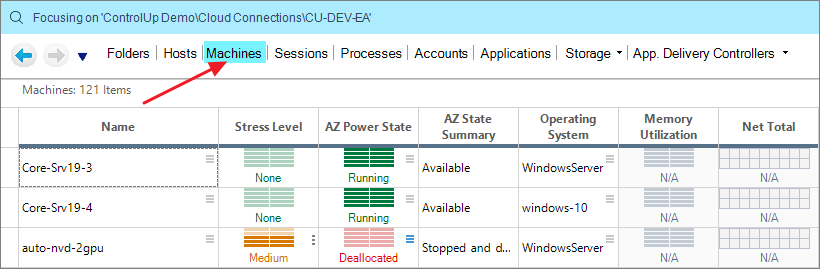
VDI App
Azure machines can be found under the Machines (Azure) view: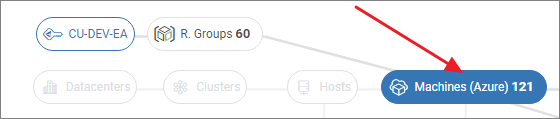
Column Name | Description | Note |
|---|---|---|
AZ Availability Set ID | Azure availability set ID. Only for machines that are part of an availability set | |
AZ Boot Diagnostics State | Indicates enabled/ disabled status of Azure boot diagnostics | |
AZ Boot Diagnostics Storage URI | Azure Boot Diagnostics Storage URI | |
AZ Compute Cost (Month-to-Date) | Current monthly rate that you will be charged for this VM's compute resources (machine, bandwidth, and virtual disks). Time frame is "this month" | |
AZ Data Disks Cost (Month-to-Date) | Current monthly rate that you will be charged for data disks attached to this VM | |
AZ ID | Azure ID | |
AZ Image Publisher | Publisher of the Azure image used to create the VM | |
AZ Image Reference Offer | Platform / marketplace image offer used to create the VM | |
AZ Image Reference SKU | SKU of the image used to create the VM | |
AZ Image Version | Version of image used to create the VM | |
AZ Instance ID | Instance ID of VM in scale set | |
AZ latest Model | Specifies whether the latest model was applied to the scaleset VM | |
AZ License Type | License type - indicates if image or disk was licensed on-premises | |
AZ Location | The geographic region where the VM is deployed | |
AZ Machine Cost (Month-to-Date) | Current monthly rate that you will be charged for this VM (machine and bandwidth only). Time frame is "this month" | |
AZ OS Disk Caching | Caching type of VM | |
AZ OS Disk Cost (Month-to-Date) | Current monthly rate that you will be charged for OS disks attached to this VM. Time frame is "this month" | |
AZ OS Disk Create Option | The setting specifies how the OS disk was created (possible values are "FromImage", "Empty", "Attach") | |
AZ OS Disk ID | OS disk resource ID | |
AZ OS Disk Name | OS disk name | |
AZ OS Disk OS Type | Azure OS Disk Format | |
AZ OS Disk Size | Operating system virtual disk size | |
AZ OS Disk Storage Account | Storage account type of the OS disk | |
AZ OS Disk Write Accelerator | Indicates enabled/ disabled status of the OS disk write accelerator | |
AZ Power State | The current run state of the Azure machine | |
AZ Provisioning State | Status of a user-initiated, control-plane operation on the VM | |
AZ Resource Group | The name of the resource group in which VM is located | |
AZ State Extended Summary | Extended summary description of availability status | |
AZ State Occurred Time | Timestamp for when the health status last changed | |
AZ State Reason Type | When the machine is unavailable, this metric describes where the health impacting event was originated. (planned, unplanned, user-initiated, or an outage, etc) | |
AZ State Summary | Displays a short description of the VM availability status | |
AZ Subscription ID | Azure Subscription ID | |
AZ Tags | Tags associated with this Azure resource | |
AZ Tenant ID | Azure tenant resource identifier | |
AZ Total Disks | The total number of Disks attached to this machine | |
AZ Total Disks Capacity (GB) | The total storage capacity of virtual disks associated with this VM | |
AZ Total Disks Cost (Month-to-Date) | Current monthly rate that you will be charged for the OS & data disks attached to this VM. Time frame is "this month" | |
AZ Type | The VM type | |
AZ VM Admin Username | Administrator user name | |
AZ VM ID | Unique, 128-bit identifier of VM | |
AZ VM Size | Azure instance type | |
AZ Win Automatic Updates | Shows whether automatic VM guest patching is enabled | |
AZ Win VM Azure Agent Provisioning Enabled | Shows the VM Agent provisioning setting value | |
Memory | ||
Name | Name | |
Operating System | Operating System Version | |
Virtual CPU Logical Processors | ||
VM Name | Machine Name |
AVD Host Pools
Real-Time DX Console
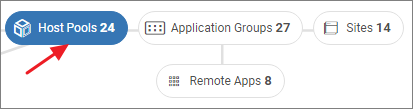
There is no dedicated view for Host Pools in the console
VDI App
Column Name | Description | Note |
|---|---|---|
AVD % Available Machines | Percentage of powered on AVD machines in an Available state | |
AVD % Host Pool Service Limit | Percentage of Microsoft AVD service limit for Host Pools, the limit is 10,000 machines (Session Hosts) per Host Pool | |
AVD % Machines with successful AVD Agent upgrade | Percentage of AVD machines with a successful AVD agent upgrade, upgrades are a Microsoft managed task | |
AVD % Used Sessions | Indicates the percentage of user sessions against the max Session Limit of the Host Pool | |
AVD Active Sessions | Total number of Active AVD User Sessions | |
AVD Application Group | Name of AVD Application Groups linked to the Host Pool | |
AVD Application Group Count | Count of AVD Application Groups linked to the Host Pool | |
AVD Available Machines | Total number of AVD Machines an Available state | |
AVD Available Sessions | Available user sessions remaining for connecting to host pools | |
AVD Compute Cost (Month-to-Date) | Current monthly cost for compute resources, including non-IaaS services. Time frame is \ | |
AVD Disconnected Sessions | Total number of Disconnected AVD User Sessions | |
AVD Host Pool Agent Update Schedule | The maintenance windows (day and time) for updating the agent components. | |
AVD Host Pool Agent Update TimeZone | The time zone for updating the agent components. Valid time zones can be found here: https://docs.microsoft.com/en-us/dotnet/api/system.timezoneinfo.findsystemtimezonebyid?view=net-5.0. A time zone must be specified if useSessionHostLocalTime is false. | |
AVD Host Pool Agent Update Type | The preferred mechanism for updating the agent components. This is either Scheduled or Default. | |
AVD Host Pool Agent Update Use Session Host Local Time | Boolean indicating whether to update the agent components in the local time zone of each session host in the host pool. By default, this is false. | |
AVD Host Pool Id | Host Pool ID | |
AVD Host Pool Load Balancer Type | Breadth-first load balancing distributes new user sessions across all available Machines in the host pool. Depth-first load balancing distributes new user sessions to an available session host with the highest number of connections but has not reached its maximum session limit threshold. | |
AVD Host Pool Max Session Limit | The maximum number of users that have concurrent sessions on a session host | |
AVD Host Pool Personal Desktop Assignment Type | Automatic will assign new users the next available session host, Direct requires the admin to assign users to Machines | |
AVD Host Pool Public Network Access | When enabled, allows the Host Pool resources to be accessed from both public and private networks, Disabled allows the resources to only be accessed via private endpoints | |
AVD Host Pool Start VM on Connect | The Start Virtual Machine (VM) on Connect feature lets you save costs by allowing end users to turn on their VMs only when they need them. You can then turn off VMs when they're not needed. | |
AVD Host Pool Type | The type of Host Pool, types are BYODesktop/Personal and Pooled | |
AVD Host Pool Validation Environment | Validation Host Pools allow you to test service changes before they are deployed to production | |
AVD Host Pool VM Template | VM template for Session Host configuration within the Host Pool | |
AVD Machines | Total number of AVD Machines | |
AVD Machines (Desktop OS) | Number of AVD Machines running a Desktop operating system | |
AVD Machines (Server OS) | Number of AVD Machines running a Server operating system | |
AVD Machines in use | Number of AVD machines currently in use | |
AVD Machines Upgrading | AVD machines currently upgrading the agent | |
AVD Remote Apps Count | Count of AVD Remote Apps in Application Groups linked to the Host Pool | |
AVD Service Limit Warning | Does the Host Pool have an active service limit warning, based on the value of 'AVD % Host Pool Service Limit' | |
AVD Stopped Machines | The total number of stopped Azure machines | |
AVD Unavailable Machines | Total number of AVD Machines with a status of other than Available | |
AVD User Sessions | Total number of AVD user sessions | |
AVD Workspace | AVD Workspace | |
AZ Location | Azure Location | |
AZ Resource Group | Azure Resource Group | |
AZ Subscription | Azure Subscription | |
AZ Tags | Azure Tags | |
Description | Description for the Host Pool set by the admin | |
Name | Folder name |
AVD Session Hosts
Real-Time DX Console
Click the AVD Machines preset from the Machines tab to see all AVD session hosts in the selected Azure subscription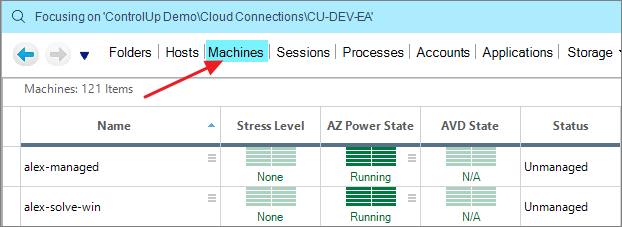
VDI App
Session host are visible after clicking Machines (AVD)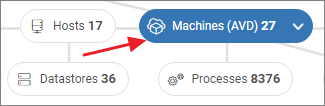
Column Name | Description | Note |
|---|---|---|
AVD % Machine Health Check | Percentage of successful health checks initiated by the AVD service | |
AVD Active Sessions | Total number of Active AVD User Sessions | |
AVD Agent Last Update Error | The error associated with the last update attempt of the AVD Agent | |
AVD Agent Last Update Result | Result of the last Microsoft-initiated AVD Agent update | |
AVD Agent Version | Current version of the AVD Agent (Remote Desktop Services Infrastructure Agent) | |
AVD App Attach Service Health Check | Date/Time of the latest Microsoft AVD Service Health Check for App Attach | |
AVD App Attach Service Health Check Message | Results of the latest Microsoft AVD Service Health Check for App Attach | |
AVD App Attach Service Health Check Result | State of the latest Microsoft AVD Service Health Check for App Attach | |
AVD Assigned User | Name of the assigned user, only valid for Personal Host Pool machines | |
AVD Disconnected Sessions | Total number of Disconnected AVD User Sessions | |
AVD Domain Joined Health Check | Date/Time of the latest Microsoft AVD Service Health Check for Domain membership | |
AVD Domain Joined Health Check Message | Results of the latest Microsoft AVD Service Health Check for Domain membership | |
AVD Domain Joined Health Check Result | State of the latest Microsoft AVD Service Health Check for Domain membership | |
AVD Drain Mode | Indicates if the machine is in drain mode | |
AVD Host Pool | Host Pool this machine is linked to | |
AVD Last Heartbeat Time | Last Date/Time the Session Host contacted the AVD control plane | |
AVD MetaData Service Health Check | Date/Time of the latest Microsoft AVD Service Health Check for MetaData Service | |
AVD MetaData Service Health Check Message | Results of the latest Microsoft AVD Service Health Check for MetaData Service | |
AVD MetaData Service Health Check Result | State of the latest Microsoft AVD Service Health Check for MetaData Service | |
AVD Monitoring Agent Health Check | Date/Time of the latest Microsoft AVD Service Health Check for the Geneva Monitoring Agent (Remote Desktop Services Infrastructure Geneva Agent) | |
AVD Monitoring Agent Health Check Message | Results of the latest Microsoft AVD Service Health Check for the Geneva Monitoring Agent (Remote Desktop Services Infrastructure Geneva Agent) | |
AVD Monitoring Agent Health Check Result | State of the latest Microsoft AVD Service Health Check for the Geneva Monitoring Agent (Remote Desktop Services Infrastructure Geneva Agent) | |
AVD Session Host Id | Session Host ID | |
AVD State | Current state according to the AVD Service of the Machine | |
AVD Status TimeStamp | The last Status timestamp refers to the last time the session host virtual machine changed its state (example: Available to Unavailable) | |
AVD SxS Stack Health Check | Date/Time of the latest Microsoft AVD Service Health Check for Side-by-Side stack Agent | |
AVD SxS Stack Health Check Message | Results of the latest Microsoft AVD Service Health Check for the Side-by-Side stack Agent | |
AVD SxS Stack Health Check Result | State of the latest Microsoft AVD Service Health Check for the Side-by-Side stack Agent | |
AVD User Sessions | Total number of AVD user sessions |
AVD Workspaces
Real-Time DX Console
There is no view for AVD Workspaces available in the console
VDI App
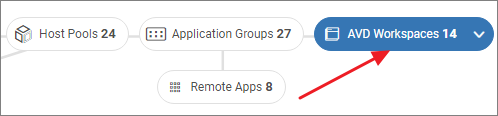
Column Name | Description | Note |
|---|---|---|
AVD % Available Machines | Percentage of powered on AVD machines in an Available state | |
AVD % Workspace Service Limit | Percentage of Microsoft AVD service limit for Workspaces, the limit is 400 Host Pools per Workspace | |
AVD Active Sessions | Total number of Active AVD User Sessions | |
AVD Application Groups | Total number of AVD Application Groups | |
AVD Compute Cost (Month-to-Date) | Current monthly cost for compute resources, including non-IaaS services. Time frame is "this month" | |
AVD Data Disk Cost (Month-to-Date) | Current monthly cost for data disks. Time frame is "this month" | |
AVD Disconnected Sessions | Total number of Disconnected AVD User Sessions | |
AVD Host Pools | Total number of AVD Host Pools | |
AVD Machine Cost (Month-to-Date) | Current monthly cost for AVD virtual machines. Time frame is "this month" | |
AVD Machines (Desktop OS) | Number of AVD Machines running a Desktop operating system | |
AVD Machines (Server OS) | Number of AVD Machines running a Server operating system | |
AVD Machines | Total number of AVD machines | |
AVD OS Disk Cost (Month-to-Date) | Current monthly cost for OS disks. Time frame is "this month" | |
AVD Remote Apps | Total number of Remote App Applications | |
AVD Service Limit Warning | Does the Workspace have an active service limit warning, based on the value of 'AVD % Workspace Service Limit' | |
AVD Total Disk Cost (Month-to-Date) | Current monthly cost for the OS & data disks. Time frame is "this month" | |
AVD Unavailable Machines | Total number of AVD Machines with a status of other than Available | |
AVD User Sessions | Total number of AVD user sessions | |
AVD Workspace Friendly Display Name | The Workspace display name as seen from the Remote Desktop client | |
AVD Workspace ID | Workspace ID | |
AVD Workspace Name | AVD Workspace Name | |
AZ Location | Azure location | |
AZ Resource Group | Azure Resource Group | |
AZ Subscription | Azure Subscription | |
AZ Tags | Azure Tags | |
Description | Description for the Workspace set by the admin |
AVD Remote App
Real-Time DX Console
Select the AVD Remote Apps preset under the Applications tab.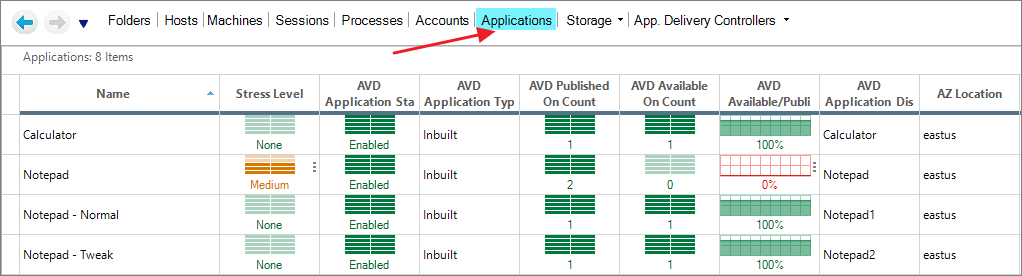
VDI App
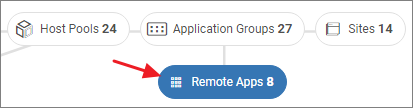
Column Name | Description | Note |
|---|---|---|
AVD Application Command Line Arguments | The syntax used with the file path to launch the Published Application | |
AVD Application Command Line Setting | Specifies whether this published application can be launched with command line arguments provided by the client, command line arguments specified at publish time, or no command line arguments at all | |
AVD Application Display Name | The display name of the Published Application, visible to the user in the Remote Desktop Client | |
AVD Application Group | AVD Application Group. | |
AVD Application Icon Path Index | The index location in the icon file for the Published Application | |
AVD Application Icon Path | The icon file used for the Published Application | |
AVD Application Id | Application ID | |
AVD Application Msix Package Family Name | Package family name for MSIX applications | |
AVD Application Msix Package ID | Package application Id for MSIX applications | |
AVD Application Path | The path of the file used to launch the Published Application | |
AVD Application Status | Indicates if the published application is enabled/disabled | |
AVD Application Type | The resource type of the application | |
AVD Available On Count | For a published application, the number of machines on which the application is published (not necessarily running) and which are available from the EUC solution perspective | |
AVD Available/Published Ratio | For a published application, count of machines on which the application is available (from the EUC solution perspective), divided by the total count of machines on which the application is published | |
AVD Host Pool | AVD Host Pool | |
AVD Published On Count | For a published application, count of machines the application is published on | |
AVD Workspace | AVD Workspace | |
AZ Location | Azure Location | |
AZ Resource Group | Azure Resource Group | |
AZ Subscription | Azure Subscription | |
Description | Description for the Application set by the admin | |
Name | AVD Remote App Name | |
Type | Indicates if the application is a published application or an aggregation of Windows processes |
AVD User Sessions
Real-Time DX Console
To access user sessions connected to AVD session hosts is by navigating to the Sessions tab and select the AVD User Sessions preset.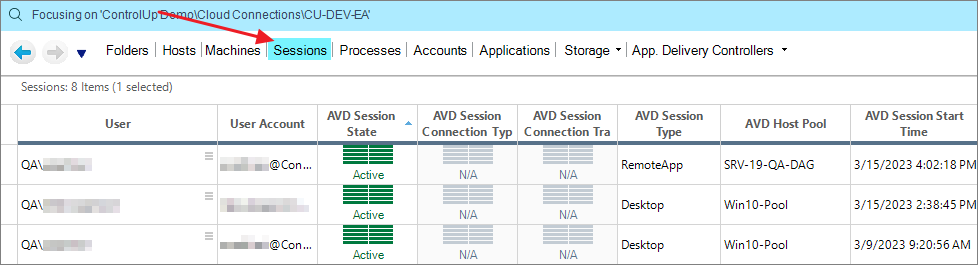
VDI App
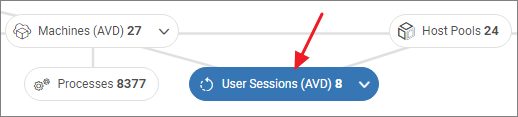
Column Name | Description | Note |
|---|---|---|
AVD Host Pool | The unique name of the AVD Host Pool | |
AVD Session Start Time | Time when the session was originally logged in | |
AVD Session State | Current state of the session (active, disconnected, etc) | |
AVD Session Type | The type of session (Desktop or RemoteApp) | |
AZ ID | Azure ID | |
ID | The unique ID of the session | |
Machine | Name of the machine hosting the session | |
User Account | The account used to log into the Remote Desktop Client, and used to start the AVD session | |
User | User name of the session's owner |
AVD Application Groups
Real-Time DX Console
There is no view for AVD Application Groups in the console
VDI App
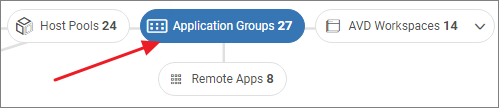
Column Name | Description | Note |
|---|---|---|
AVD % Application Group Service Limit | Percentage of Microsoft AVD service limit for Application Groups, the limit is 500 published apps (RemoteApp) per Application Group | |
AVD Application Group Id | Application Group ID | |
AVD Application Group Type | Whether the application group is used to publish Remote Apps or a single Desktop | |
AVD Host Pool | AVD Host Pool | |
AVD MSIX Apps | Total number of published apps which are MSIX packages | |
AVD Remote Apps | Total number of published AVD applications | |
AVD Service Limit Warning | Does the Application Group have an active service limit warning, based on the value of 'AVD % Application Group Service Limit' | |
AVD Workspace | AVD Workspace | |
AZ Location | Azure Location | |
AZ Subscription | Azure Subscription | |
AZ Tags | Azure Tags | |
Description | Description for the Application Group set by the admin | |
Name | AVD Application Group Name |
Virtual Disks
Real-Time DX Console
In the Storage tab, click Virtual Disks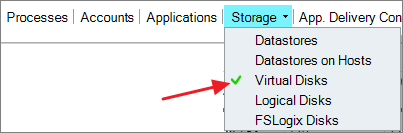
VDI App
Navigate to an Azure machine and click Disks to open the Virtual Disks view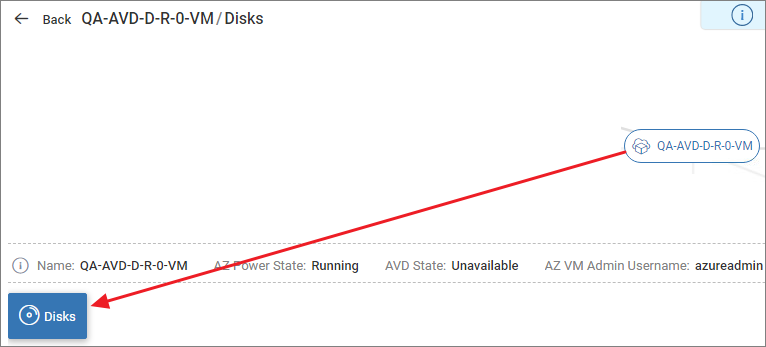
Column Name | Description |
|---|---|
AZ Created From | Source type of Azure virtual disk |
AZ Currency | Azure billing currency |
AZ Disk Cost (Month-to-Date) | Current monthly rate charged for virtual disk |
AZ Disk Create Date | Creation date of Azure virtual disk |
AZ Disk Encryption Type | Data encryption key type of Azure virtual disk |
AZ Disk Image Reference ID | Relative URI of Azure virtual disk image - Platform Image Repository or user image reference |
AZ Disk IOPS limit | Maximum IOPS allowed for this Azure virtual disk |
AZ Disk MBps limit | Maximum bandwidth allowed for this Azure virtual disk |
AZ Disk OS Type | Operating system of the OS disk |
AZ Disk SKU | SKU name of Azure virtual disk |
AZ Disk State | State of Azure virtual disk |
AZ Disk Tier | Baseline performance tier of Azure virtual disk - determines IOPS and throughput |
AZ Disk Unique ID | Unique GUID for Azure virtual disk |
AZ Encryption State | Encryption settings for the Azure virtual disk |
AZ ID | Azure disk resource identifier |
AZ Location | Geographic region where this disk is deployed |
AZ Managed Machine | The VM that manages this virtual disk |
AZ Managed Machines List | List of VMs that have this disk attached |
AZ Provisioning State | Provisioning state of the Azure virtual disk |
AZ Resource Group | The name of the resource group in which the VM is located |
AZ Source Unique ID | Source ID of the Azure virtual disk |
Azure Subscription ID | Azure Subscription ID |
AZ Tags | Tags associated with this Azure virtual disk |
AZ Tenant ID | Azure tenant resource identifier |
Disk Capacity | The total storage capacity of the virtual disk |
Virtual Disk File Name | The name of the virtual disk file on the datastore |