The Audit Log enables you to see actions performed on your managed assets. You can configure the Audit Log to save data to a local Syslog server.
The contents of the SysLog datastore can be viewed using any standard Syslog reader (e.g. Splunk). On-premises implementations can only store Audit Logs on their SysLog Servers.
Example of the Audit Log stored on a Syslog Server:
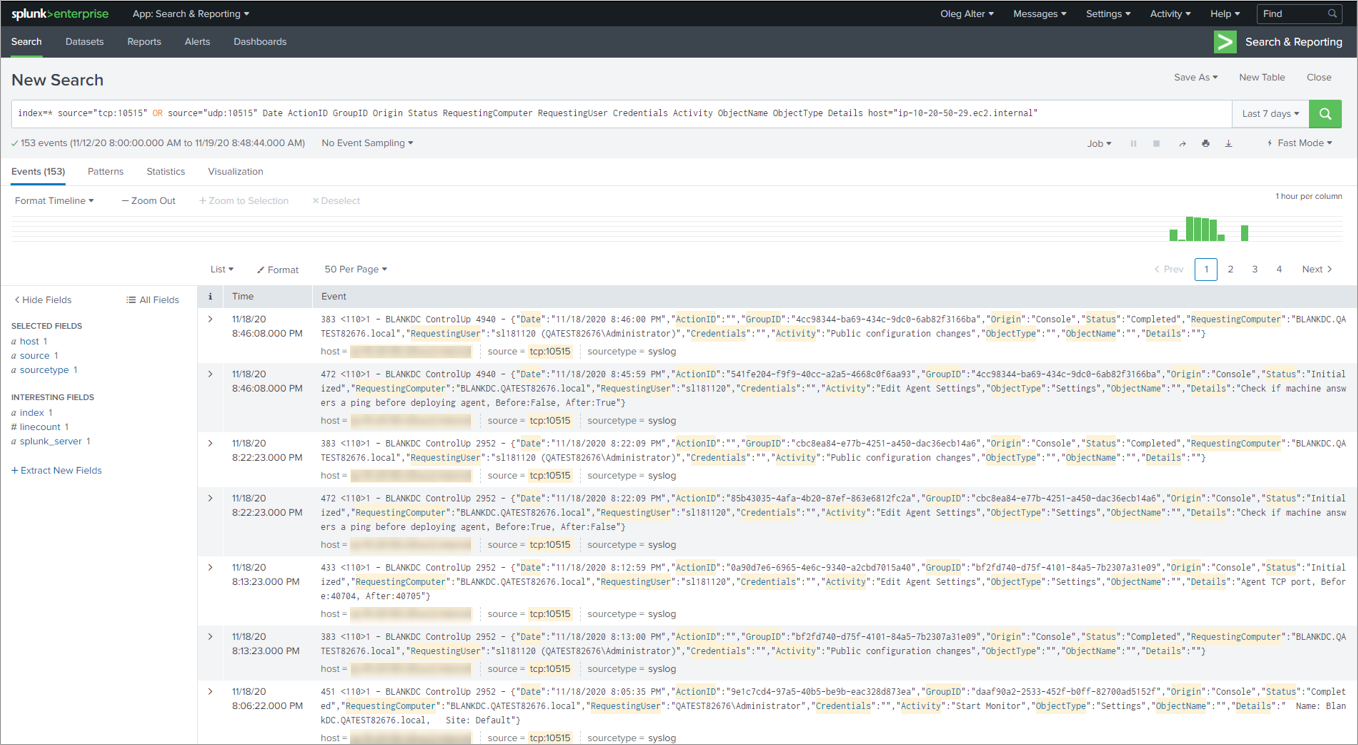
Actions are reported in the Audit Log as two separate entries: once for initialization of the action, and once for completion of the action.
Audit Log Settings
Only the organization owner can modify the Audit Log settings. The organization owner is displayed and managed in the Security Settings pane of the Real-Time DX Console.
To open the Audit Log tab, click Audit Log on the Settings ribbon:
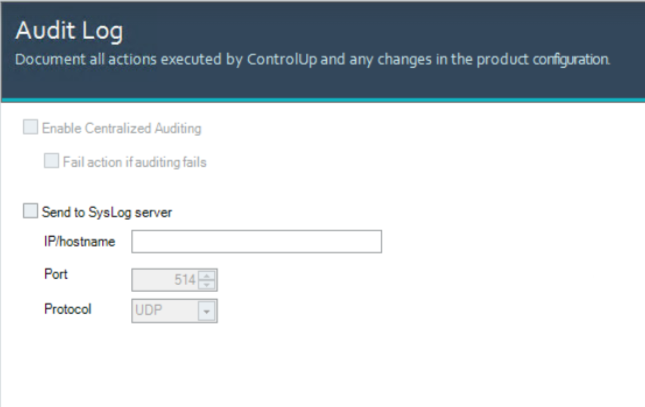
The Audit Log tab includes:
Enable Centralized Auditing (Grayed out). Default configuration for Hybrid Cloud environments, not available for ControlUp On-premises (COP) implementations.
Send to SysLog Server. Enables you to save the auditing records to a SysLog server by entering its:
IP/hostname. Enter the IP address or hostname of the SysLog server.
Port. Enter the port to use to connect to the Syslog server.
Protocol. Select the protocol to use to connect to the SysLog server: UDP or TCP.
After you finish making changes to the settings, click Apply to save the changes or OK to save the changes and close the window.