You can use ControlUp for Compliance to simulate security threats to test if your security controls are working correctly.
The files and websites used by these security checks do not cause any real harm or threat to your devices. However, they are designed to have the appearance of a real security threat, and your security control software will recognize them as a security threat.
Security checks that will cause alerting in your security control software are indicated by a yellow or red warning icon (red is more severe than yellow). This article describes these security checks so that your security team can be prepared.
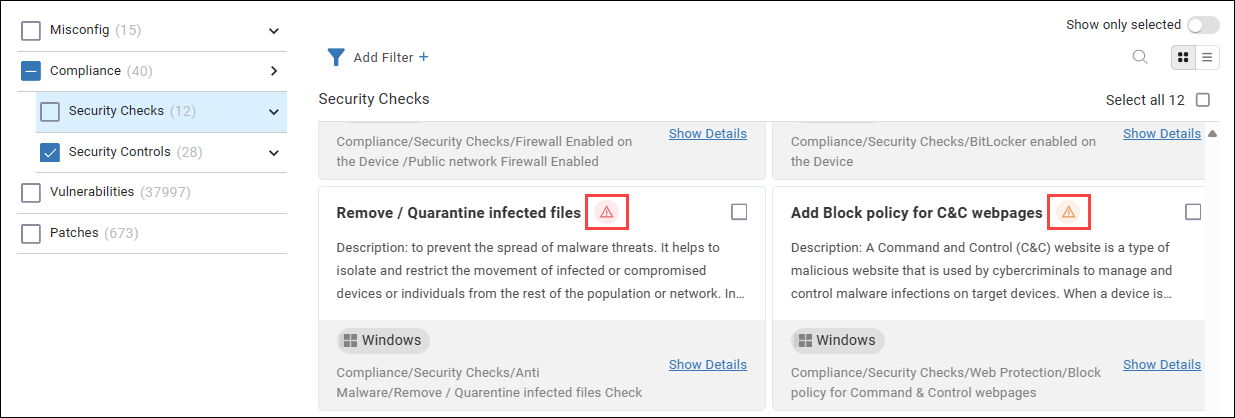
It is important that you notify and inform your security team before you perform these security checks. If you don't, it might look like your organization is experiencing a cyber attack.
Remove / quarantine infected files
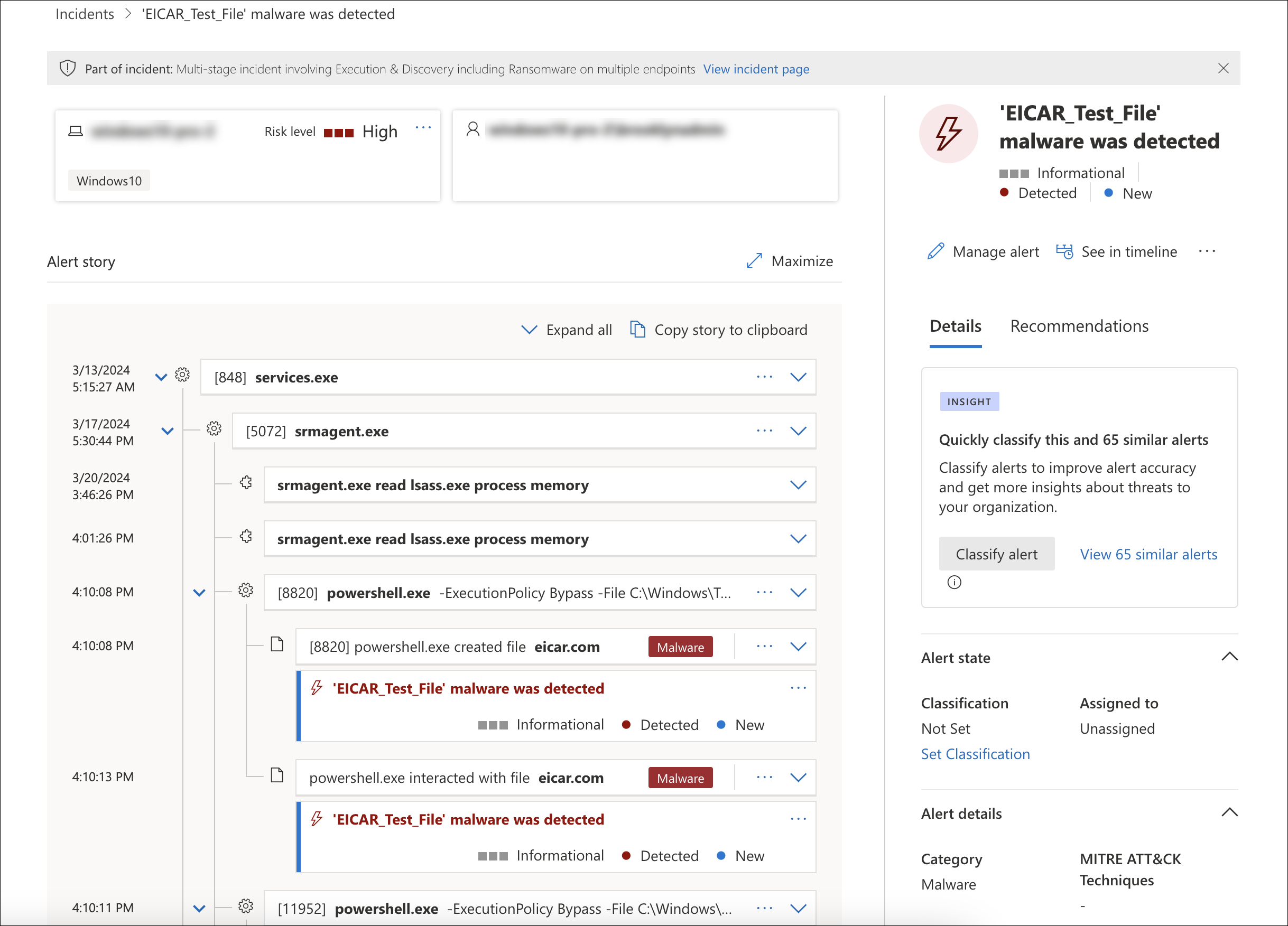
This security check uses the EICAR (European Institute for Computer Antivirus Research) test file to ensure that your antivirus software is working correctly.
The EICAR test file is a safe, non-malicious text file containing a hash string designed to make the file appear malicious to antivirus software. If your antivirus software is working correctly, it should detect the file and take action to protect your systems.
When ControlUp performs this test, it creates the EICAR test file in C:\ProgramData\ControlUp\SRM\Tests\eicar.com.
- If your antivirus software promptly deletes or protects the file, then this indicates that your antivirus is working and the security check passes.
- If no action is taken to remove or quarantine the file, then this indicates that your antivirus is either not installed or not working correctly and the security check fails.
After the security check, ControlUp automatically removes the file (if it hasn't already been removed by your antivirus).
When working correctly, your security control software should detect the file as shown below:
Add block policy for HTTPS malware download
This security check attempts an HTTPS download of a safe, non-malicious file that is designed to appear malicious. This test checks if your Secure Web Gateway is working correctly.
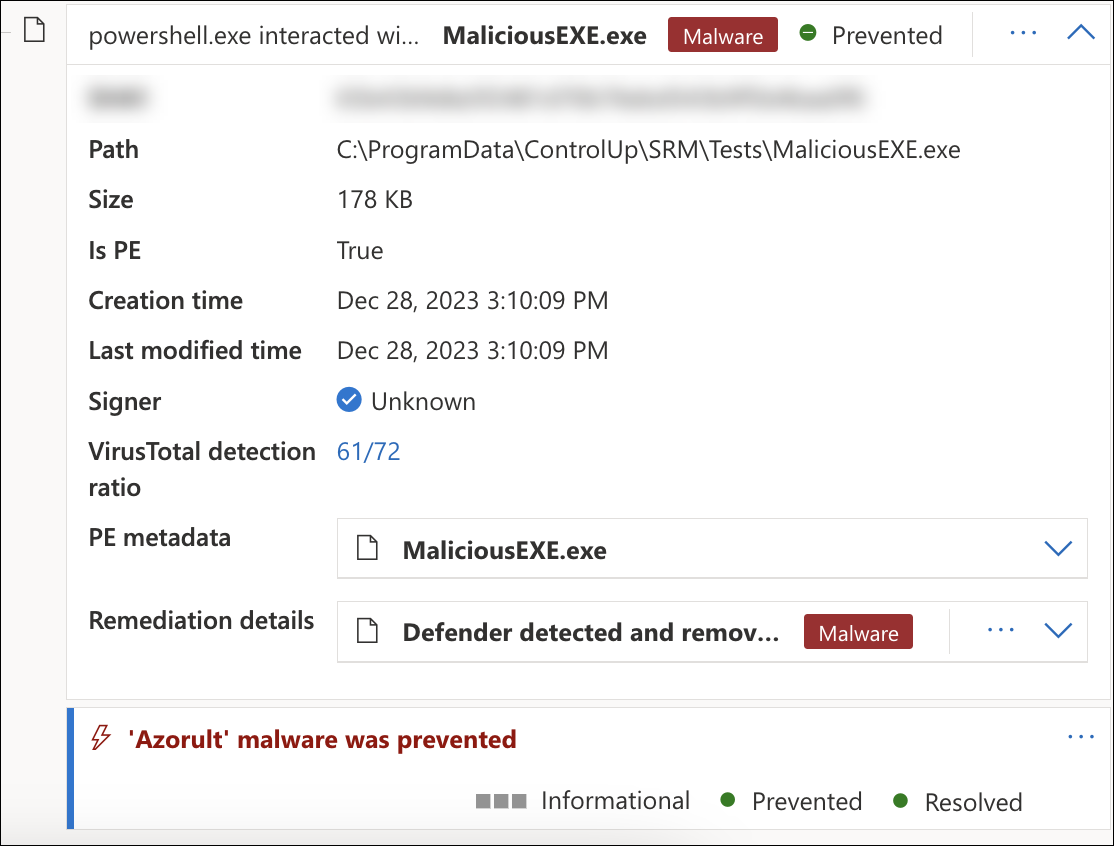
When ControlUp performs this test, it attempts to download the file to C:\ProgramData\ControlUp\SRM\Tests\MaliciousEXE.exe.
- If the download is successful, then the security check fails. This indicates that your Secure Web Gateway isn't working correctly.
- If your Secure Web Gateway blocks the download, then the security check passes.
The file is not executed and ControlUp automatically deletes the file at the end of the test.
ControlUp checks if the file is successfully downloaded to the device. If the file is downloaded, then the security check fails. This indicates that your Web Security Gateway is not blocking malware downloads. The file is automatically deleted at the end of the test.
When working correctly, your security control software should detect the file as shown below. The indicator of compromise (IOC) for this security check can be either Azorult, Tnega, or StopCrypt.
Testing access to malicious websites
The following security checks test a device's access to malicious websites. Your secure access service edge (SASE) should recognize these websites as malicious and intervene. If these tests fail, it indicates that your SASE is not working correctly.
- Add block policy for phishing pages - This security check fails if a device accesses a known phishing website.
- Add block policy for cryptomining websites - This security check fails if a device accesses a known cryptomining website.
- Add block policy for C&C websites - This security check fails if a device accesses a known command and control (C&C) website.
- Add RBI solution for Unknown pages - This security check fails if a device accesses an unsecure and uncertified website directly without using remote browser isolation (RBI).