Application Log Event ID 1000
Symptoms
Occasionally an application will crash with Application Log event ID 1000, for example:
Event ID 1000 – Application Error

Faulting application name: v4pa_agent.exe, version: 6.2.0.173, time stamp: 0x56574930
Faulting module name: v4pa_process.dll, version: 6.2.0.173, time stamp: 0x56574945
Exception code: 0xc0000005
Fault offset: 0x0000000000042300
Faulting process id: 0x3c0
Troubleshooting/Research Steps
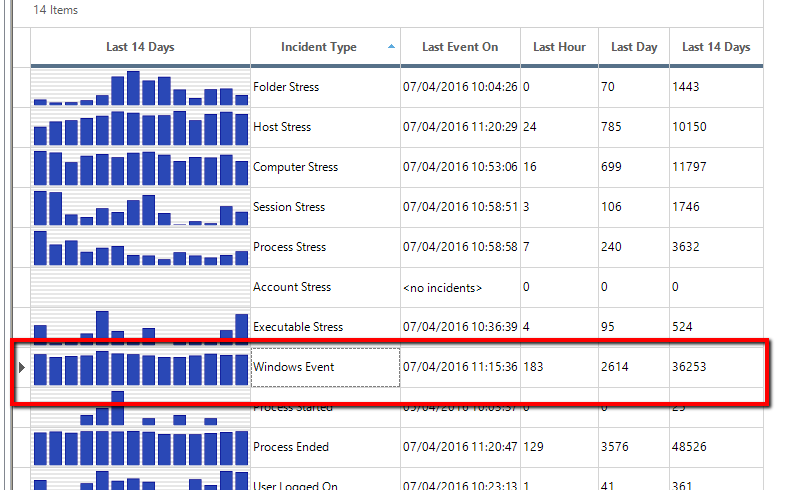
The ControlUp Incidents pane is the best place to start troubleshooting application errors such as this. Double-click on the Windows Event row to drill down a level.
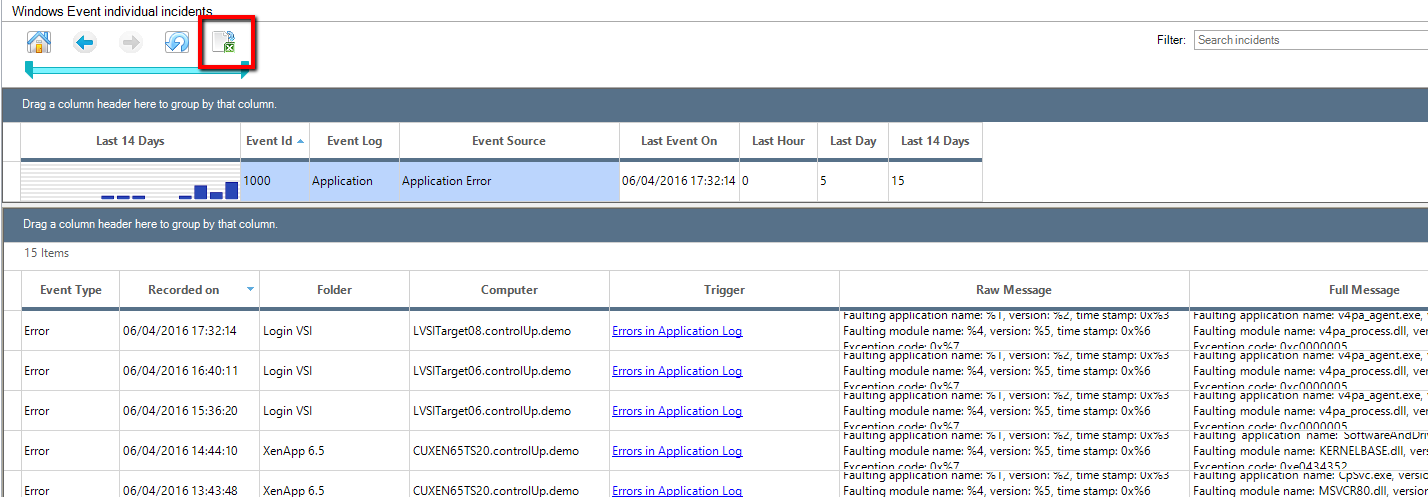
Once there, we want to group and sort in order to group all events from event ID 1000, so we select the Event Id checkbox. Separating by machine is not needed in our case, so we uncheck that box. If the list is too long, you can also use the filter in the upper right corner to shorten the list. We clicked the Event Id column header to sort the list and make it easier to find what we’re looking for.
Now that we have grouped just the events we are interested in, double-click that line to drill down to the next level, which will give us a list of every event captured by the Trigger that meets the grouping of the previous screen. You can read through the list here, or export the entire table into Excel using the button at the top to further analyze the data, find patterns, make reports, etc.
With this level of data gathered, it should enable you to fine-tune the troubleshooting process and provide deeper insight into the specific problem and find potential solutions.