Symptoms
Event ID 5000 Error appears on the Application Log, in the event viewer with the source ControlUp Auditing. This event comes as an error and information, and indicates whether an action within the Real-Time DX Console (i.e. Get Session Screenshot, start Hypervisor, power actions, Change XenApp Logon Mode, etc.) succeeded or failed.
If the action was on the agent\target machine, i.e. Flush DNS, the event will be written in the event viewer of the target machine.
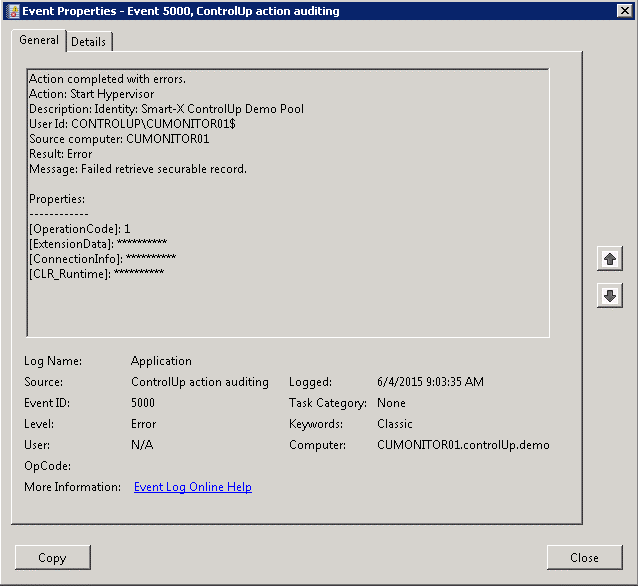
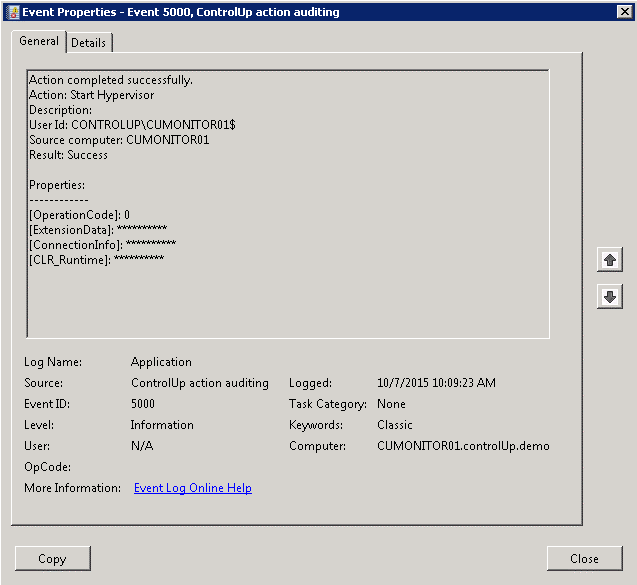
Event ID 5000 appears on ControlUp Monitor as an Information
Solution
The audit trail in ControlUp allows you to track actions that took place in the Console (successful and failed). The auditing trail is crucial due to the extensive management actions that are available within the Console. The audit trail is hard-coded in the product and not configurable.