Issue
You try to connect to a ControlUp Agent, but it fails with the following error message:
Could not connect to xxxxx cuAgent. The connection attempt lasted for a time span of xx:xx:xx. TCP error code 10061: No connection could be made because the target machine actively refused it.
Cause
The Real-Time Console tries to connect to an agent, but can't because the agent service is down. In Agent Deployment Settings, the Deploy agents automatically checkbox is deselected.
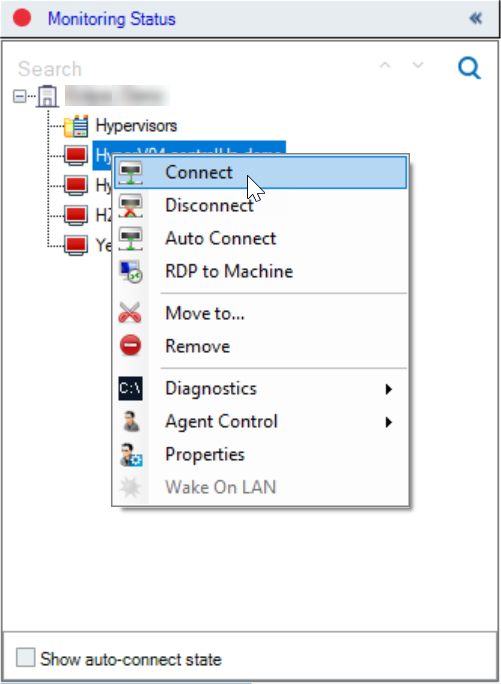
From the machine's action menu, if you click Connect, the console tries to connect. But if the agent service is down, it fails.
Solution
In order to fix the issue, the console needs to start the agent service when trying to connect. To automatically restart the agent's service when you connect, try the following solutions:
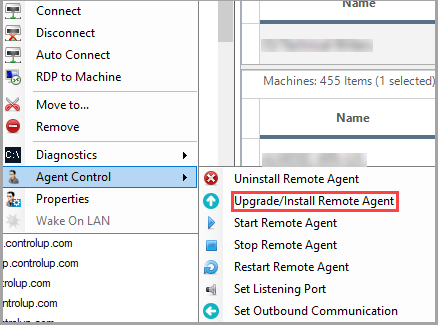
- From the machine's action menu, click Agent Control > Upgrade/Install Remote Agent:
- Select the Deploy agents automatically (from console only) option.