Issue
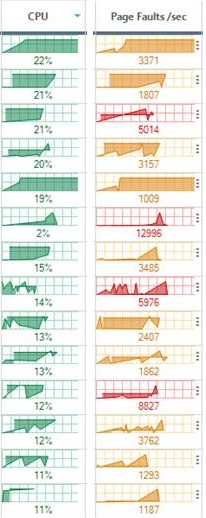
The metrics in the Real-Time DX Console show abnormal values, as the screenshot below indicates:
Cause
This can happen when there is a system time mismatch between monitored resources and/or the machine running the Console. Due to this time mismatch, graphs show data incorrectly.
Solution
Make sure that the system time is consistent across your environment, including your ControlUp infrastructure (Servers/Consoles).