Issue
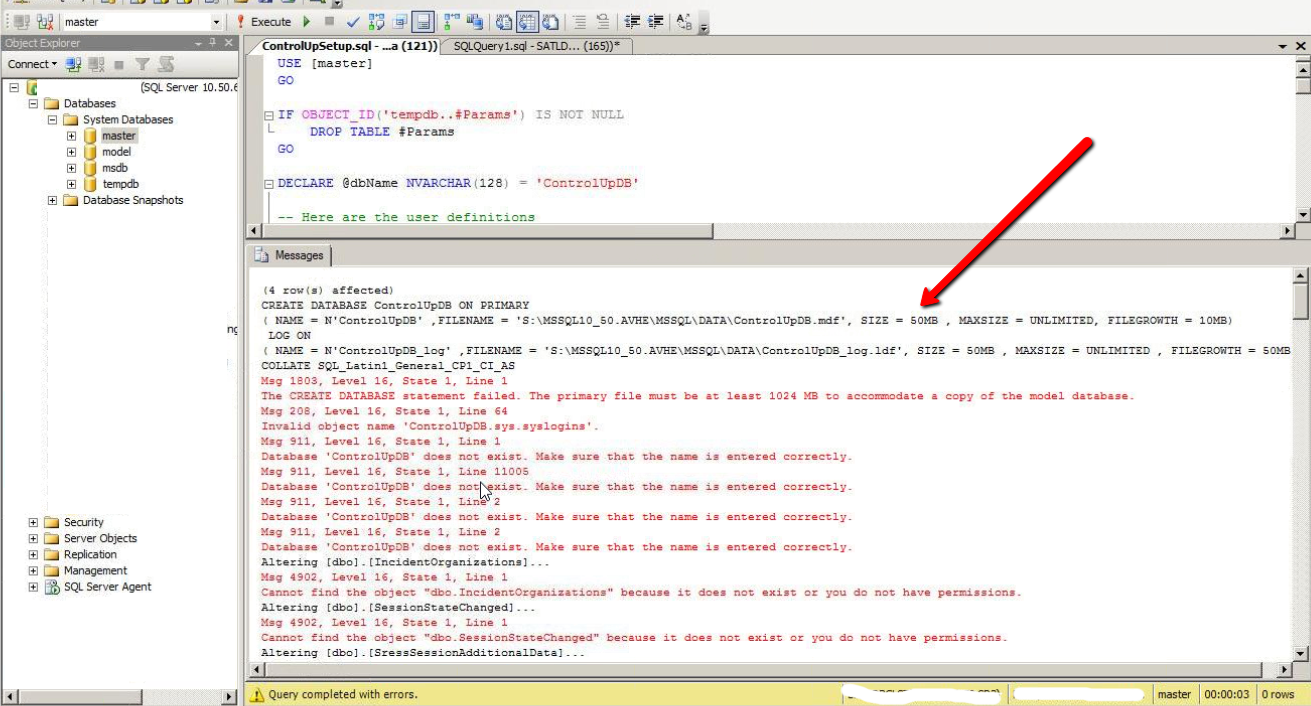
Error message:
"The primary file must be at least X MB to accommodate a copy of the model database"
Root Cause
When the database is created it uses the model DB as a template, the model DB is a built-in system database in SQL.
When the On-premises database is created with the creation script, the following SQL statement sets the database size to 50 MB.
DECLARE @dbDataFileSize VARCHAR(10) = 50
Resolution
Open SQL Server Management Studio, right-click the model DB, go to Properties -> Files and check the initial size (MB):
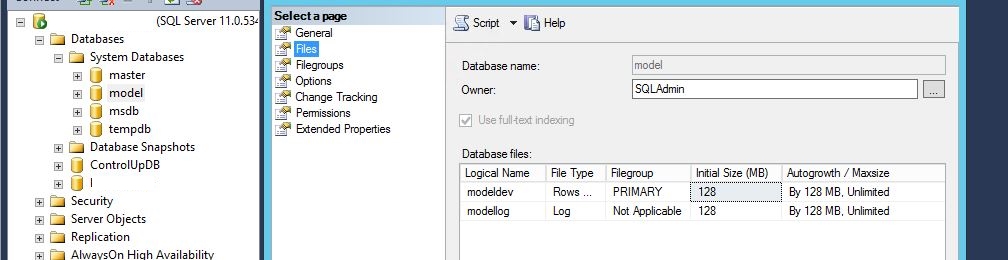
Edit the SQL script that the On-Premises wizard created, line 30, and change the value from 50. In this example, you see that the initial size is 128MB. Change it to 129MB to resolve the problem.