Issue
When you add new groups to the Security Policy Pane, you need to choose a domain group from a selected domain.
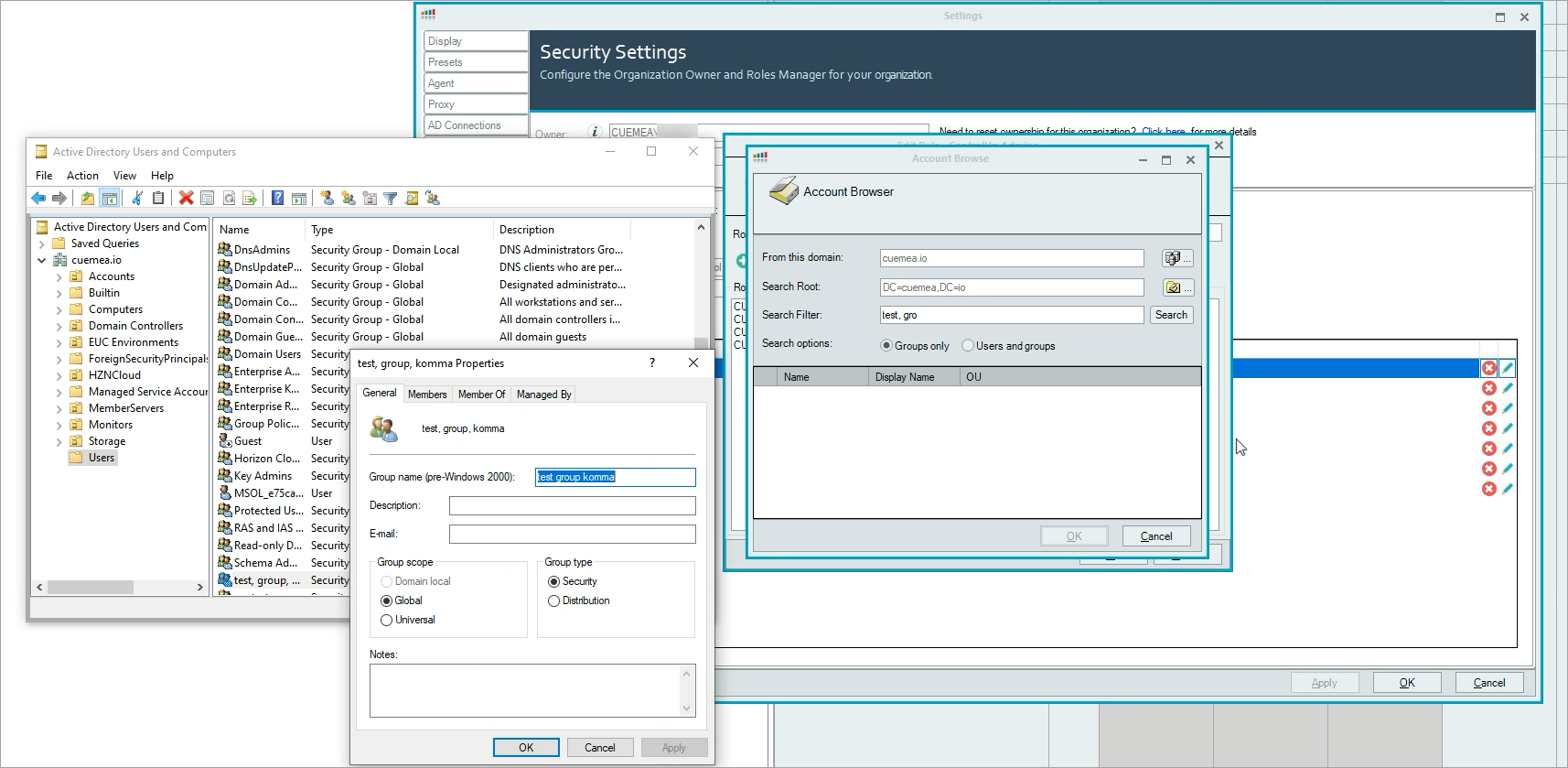
Searching for groups in the Account Browser won't return results if the group name in the selected domain contains commas. In the screenshot below, you can see the group name "test, group, komma". The search for "test, gr" does not return any results.
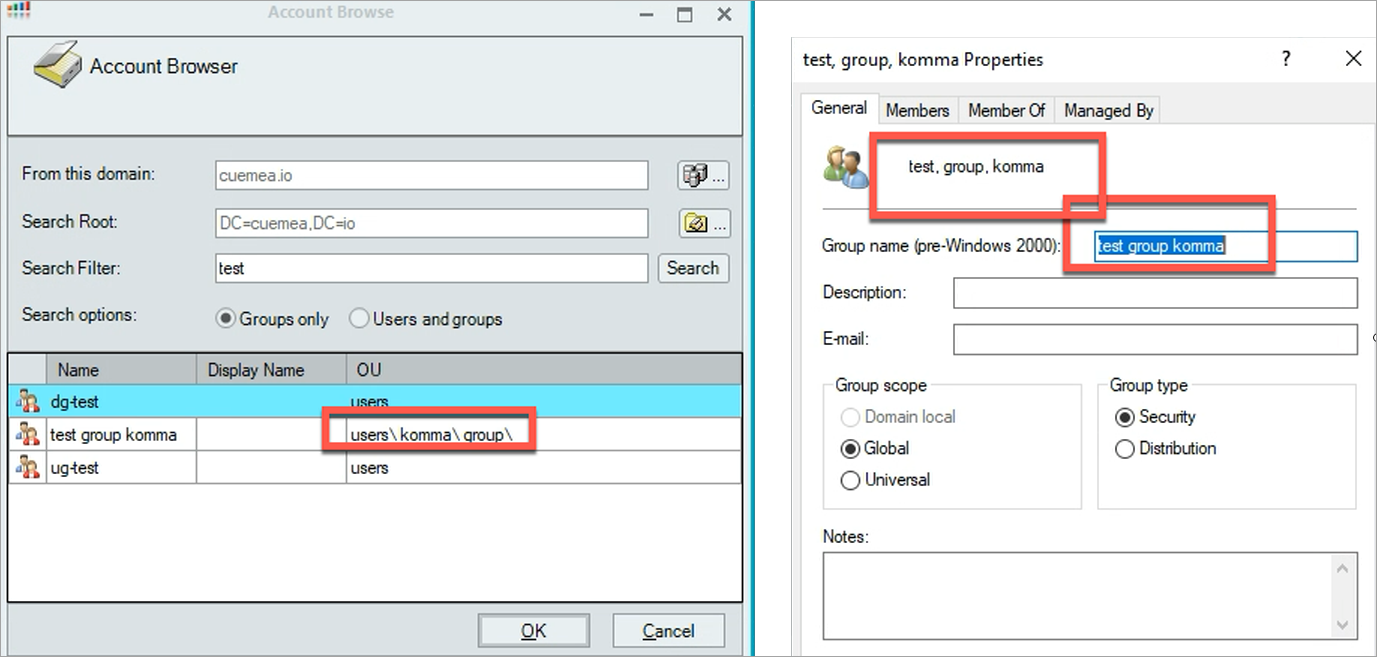
When searching for "test", the value in the OU is formatted wrongly with a backslash instead of a comma.
Workaround
Search for the string that comes before the comma. You can still add the user group to the Security Policy pane despite the backslash.