The .NET engine execution is a mechanism to execute your PowerShell scripts. You can activate this feature when writing your PowerShell script in the code editor by clicking the Execute script with .NET engine checkbox. While optional, we recommended to use this feature whenever you write new scripts.
Benefits
Allows you to use named parameters in your script
Provides an extra layer of security
Named Parameters
Named parameters make the intent of your code clearer and the script more robust. With the .NET engine execution feature, you are now able to use named parameters in your script.
To illustrate the use of named parameters, let's take the following script.
Param
(
    [Parameter(HelpMessage='The Id of the process')]
    [string]$processID,
    [Parameter(HelpMessage='Company name of the executable')]
    [string]$company,
    [Parameter(HelpMessage='Version of the executable')]
    [string]$version
)

$ErrorActionPreference = 'Stop'

Write-Host -InputObject "Process ID = $processID"
Write-Host -InputObject "Company = $company"
Write-Host -InputObject "Version = $version"
You can see that we have three named parameters in the Param block $processID, $company, and $version that we want to output in the ControlUp script console. First, add the script above to the Script tab.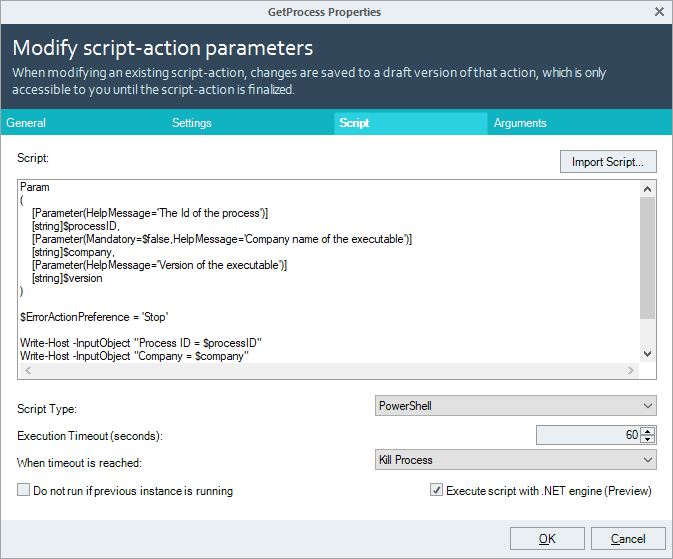
In the Arguments tab, we can now add named parameters for each of the record types. Make sure, you use the same parameter names as in your script, otherwise, the script runs into an error.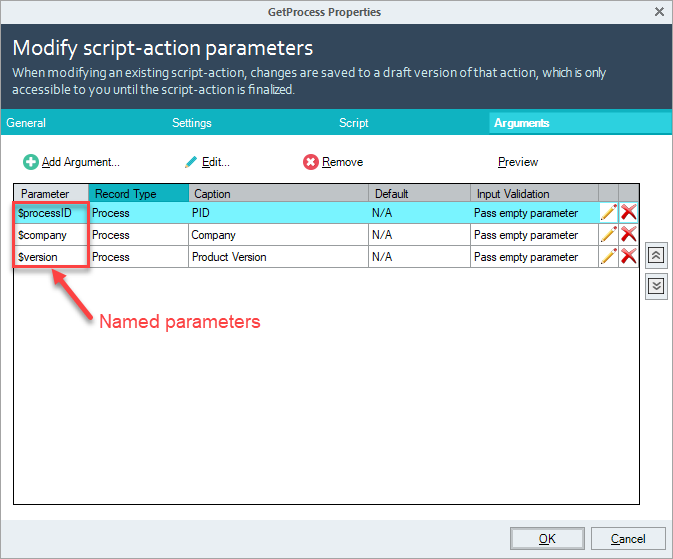
Running the script on a process shows you the following script output: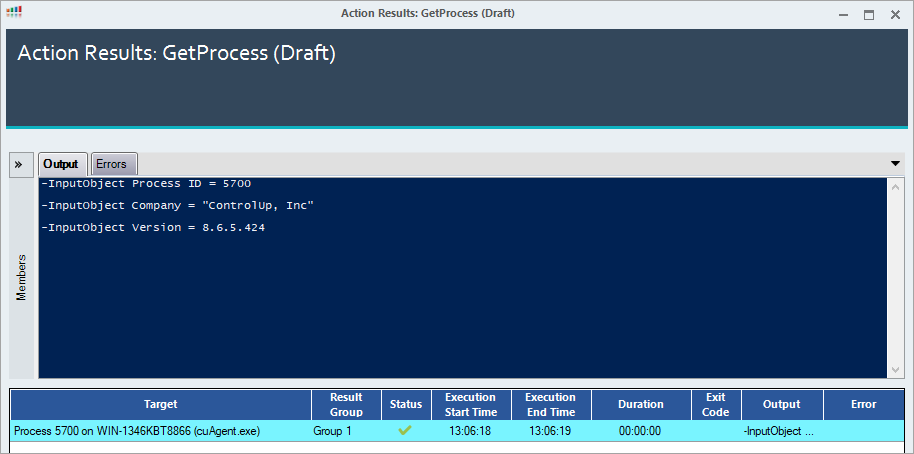
Extra Layer of Security
The .NET engine execution provides an additional security layer as the script is not stored on the remote machine and then executed by the PowerShell process. It rather executes the script in memory by using .NET namespaces. The next sections illustrate the difference between how a script is being executed with the traditional method and the new feature.
Traditional: Without .NET Execution
When using the traditional method, the script is saved on the disk of the machine where the script is being executed.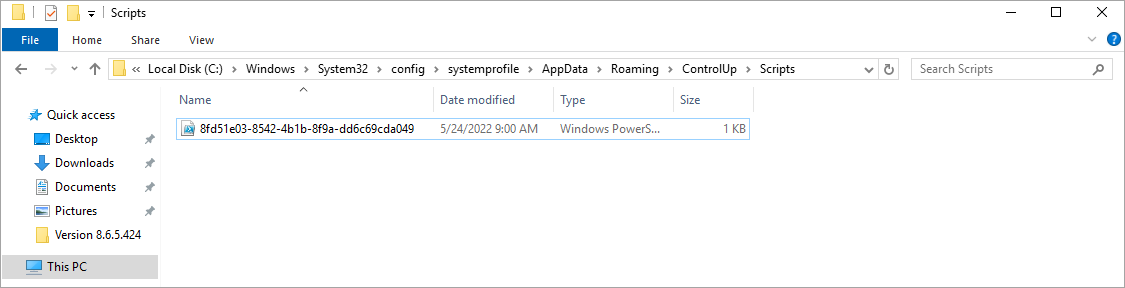
The PowerShell process is executing the script by adding positional parameters to it.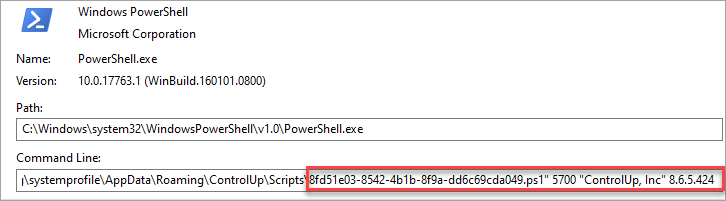
New: With .NET Execution
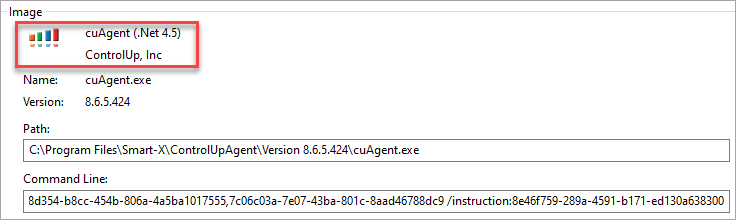
Scripts executed by the .NET engine are no longer saved locally on the remote machine and executed by the PowerShell process. As you can see, the cuAgent executes the script without exposing its parameters or values.