If your organization is licensed for the AI Assistant, it receives a pool of interaction credits. This article explains how credits are counted, how to check your balance, and how to track usage across your organization and by individual user.
How interaction credits work
An interaction is counted each time a user sends a substantive message to the AI Assistant and gets a response. Interactions include:
- Questions and requests for information
- Instructions to complete a task
- Follow-up prompts within the same topic
The following messages don't count toward your credits:
- Greetings, such as "Hi" or "Hello"
- Acknowledgements, such as "Thanks," "Got it," or "OK"
- Sign-offs, such as "Bye" or "That's all"
- System-generated messages and session start or end events
Check your credit balance
The number of credits allocated to your organization depends on your license level. To check how many credits you've used:
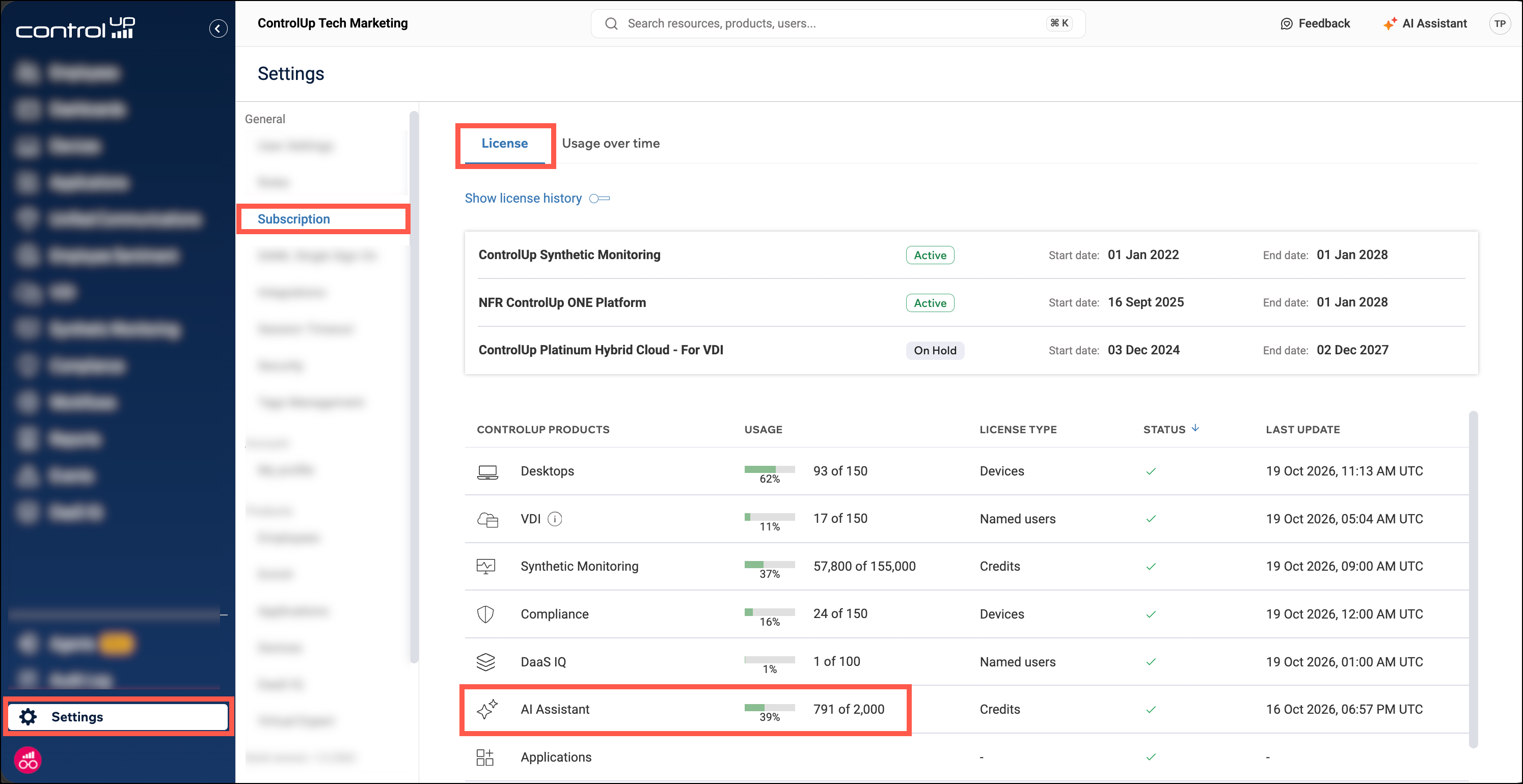
- Go to Settings > Subscription.
- On the License tab, find AI Assistant in the ControlUp Products table.
The Usage column shows the credits you've used out of your total allocation, both as a count (for example, 791 of 2,000) and as a percentage.
View credit usage over time
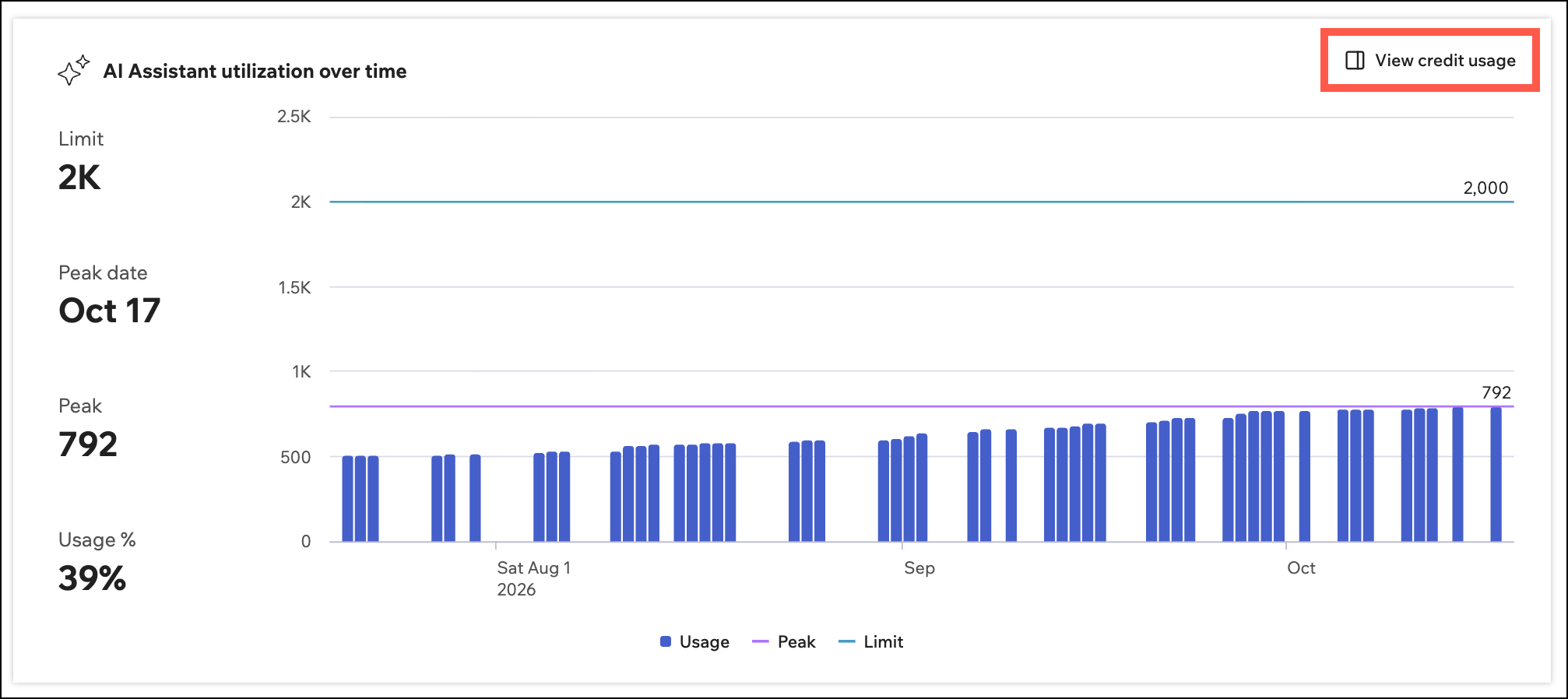
Go to Settings > Subscription > Usage over time and scroll down to the AI Assistant utilization over time chart. The chart shows how your organization has been consuming credits.
Per-user usage
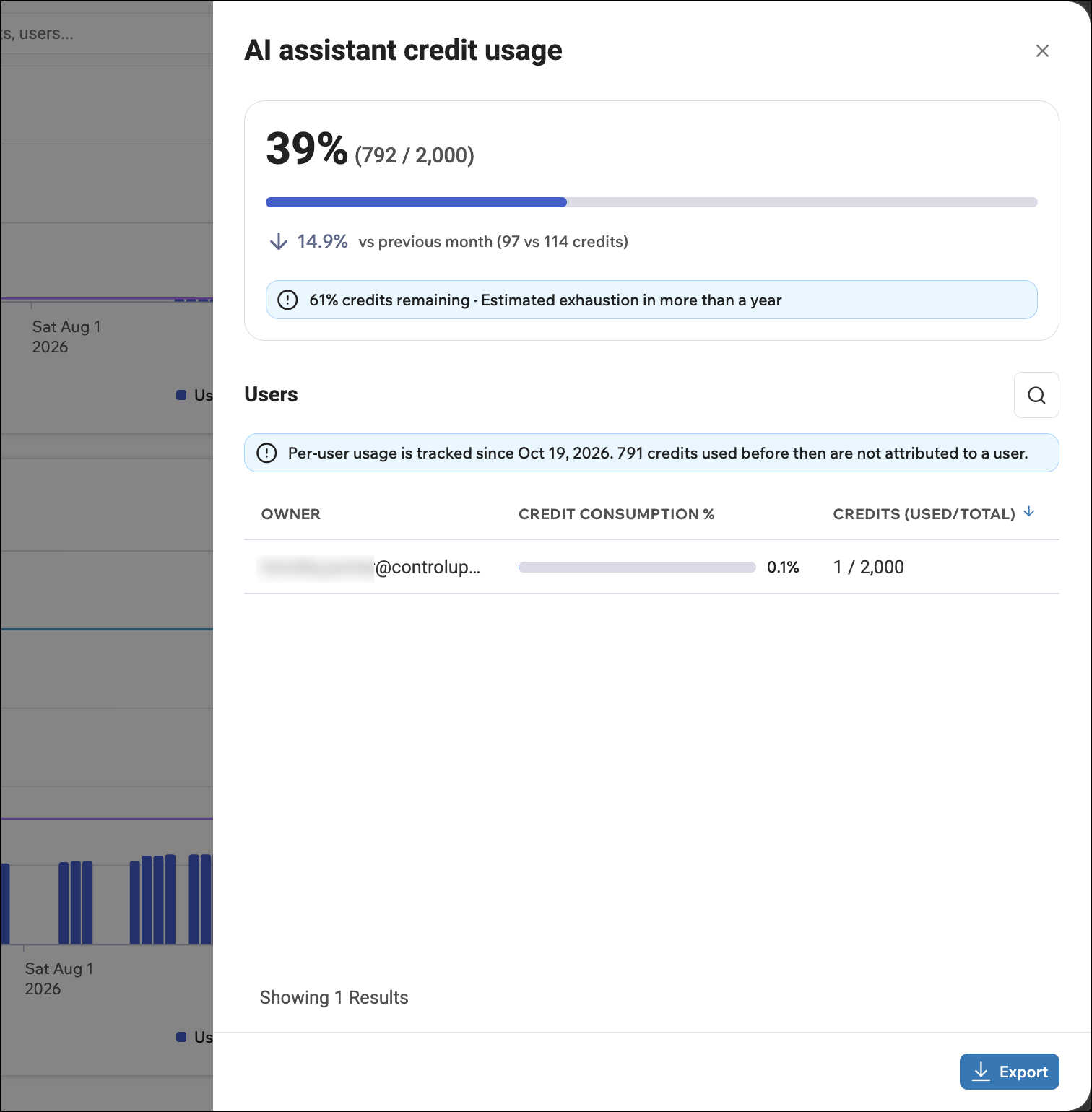
To see how many credits each of your users is consuming, click View credit usage in the top-right corner of the chart.
There, you can see organization-wide usage and how many credits each user has consumed. Per-user credit usage tracking started on October 19, 2026. Credits consumed before that date are not associated with a specific user.
Export the usage report
You can export credit usage data to share usage with stakeholders or keep a record:
- You can export the charts to a PDF or CSV at the top of the Usage over time tab.
- You can export the per-user credit usage information to a PDF using the Export button at the bottom of the overlay displaying per-user usage.
Usage limits
To ensure a reliable and consistent experience for all our users, the AI Assistant may apply usage limits from time to time. These limits help maintain system stability and prevent excessive or unintended usage.
If a usage limit is reached, the AI Assistant may temporarily be unable to return a response and will prompt you to try again shortly. Access is automatically restored within a short period of time.
Buy additional credits
If your allocation isn't enough for your organization's usage, contact your ControlUp account representative to buy more.