Issue
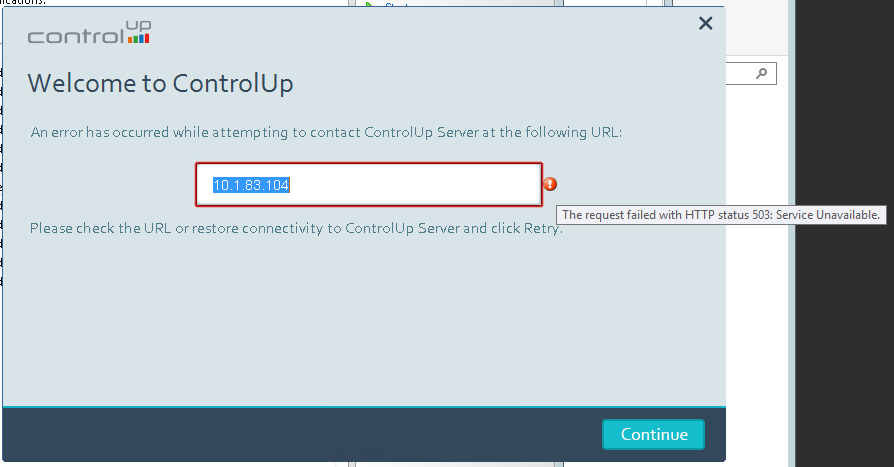
You try to launch the Real-Time DX Console and receive the following error:
Root Cause
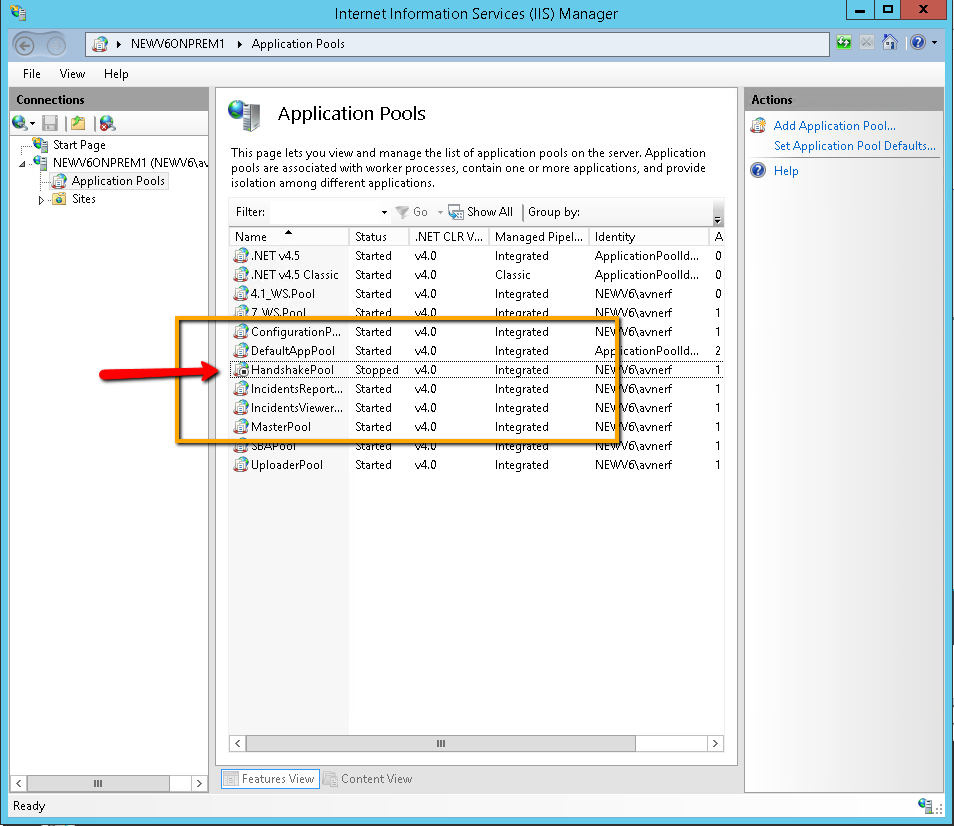
The IIS application pools are not available.
Solution
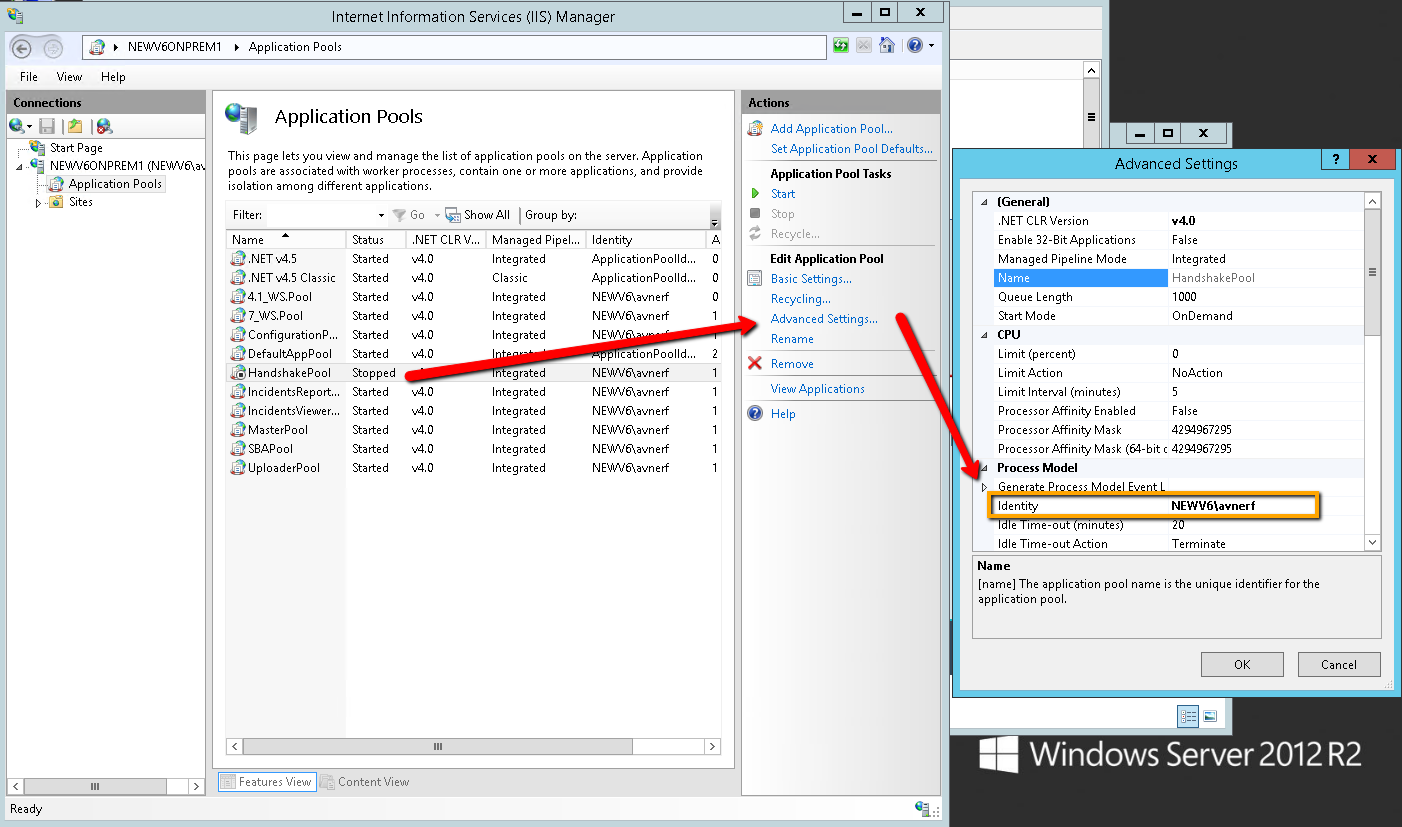
The service account's (used during the on-premises installation) password changes (e.g every 3 months policy). When the service account's password changes, the application pool can't be started.
To resolve the issue, you must change the password for each application pool, and then restart the IIS service, for example:
There are cases where you will need to add the service account to the Performance Log Users local group of the ControlUp Server On-Premises, so that the service account is able to start the application code.