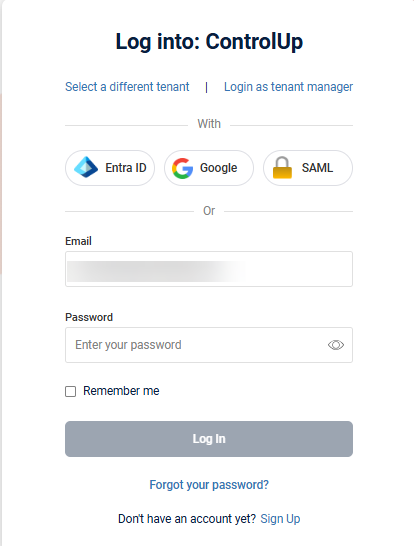
You can create an account and sign into your DEX environment using:
Set global allowed login methods
You can control which login methods are available for your organization if you have the Manage login methods permission. If a login method is not allowed, then it does not appear on your organization's login screen:
To set which login methods can be used to access your environment:
Go to Settings > User Settings > Login Methods.
.png)
2. Select which login methods to allow for your organization and click Save.
.png)
Override allowed login methods for a specific user
You can now configure a specific login method for individual users, overriding the organization's global authentication settings when needed. Unlike previous behavior, you're no longer limited to only removing login methods for a user. You can also enable a login method for a specific user that isn't globally allowed for your organization. This gives you the flexibility to:
Assign a unique login method per user, independent of your organization's global settings.
Support different authentication requirements for different users within the same organization.
Provide a break-glass login method as a backup (even one not enabled organization-wide) ensuring account access if a user's primary authentication method becomes unavailable.
Maintain greater overall flexibility and control over authentication and user management.
To override a user's login methods:
Go to Settings > User Settings and click on the user whose login methods you want to override.
.png)
2. Next to Login method, click Override.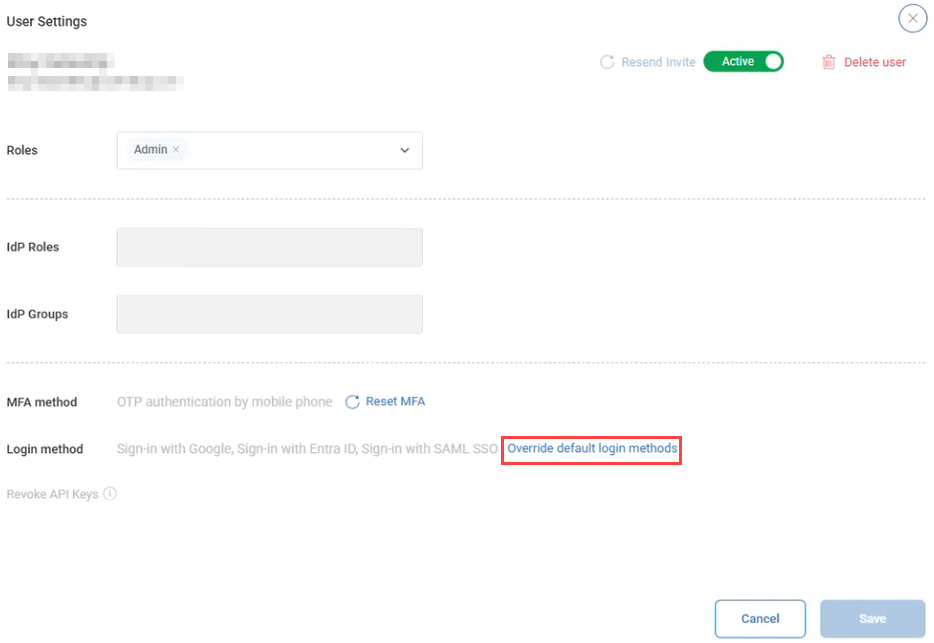
3. Under Login method, select or deselect any login methods you want to enable or remove for this user. Checked methods override the organization's default login methods for this user only.
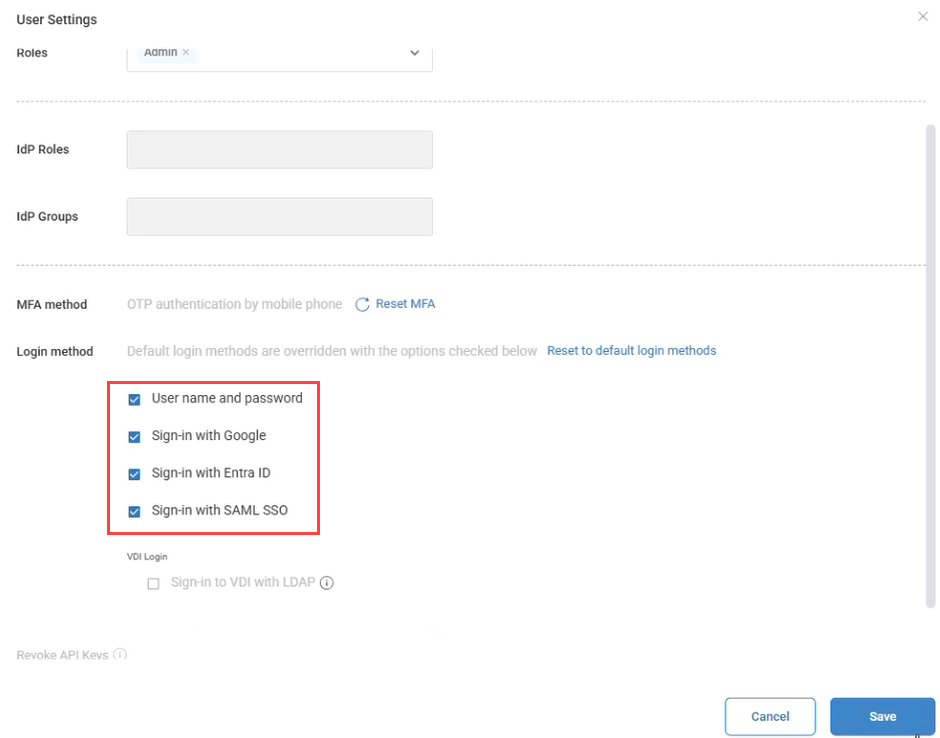
4. Click Save.
To revert the user back to your organization's global login method settings at any time, click Reset to default login methods.