This article covers ControlUp for Desktops Agent installation on Dell ThinOS.
Requirements
- ControlUp for Desktops environment and a valid Commercial or Trial license.
- ThinOS 10 (previous ThinOS versions are not supported).
- Dell WMS 5.4 or higher (or knowledge to deploy via Admin Policies on the device).
- The CI (Customer Installed) package and its signing certificate.
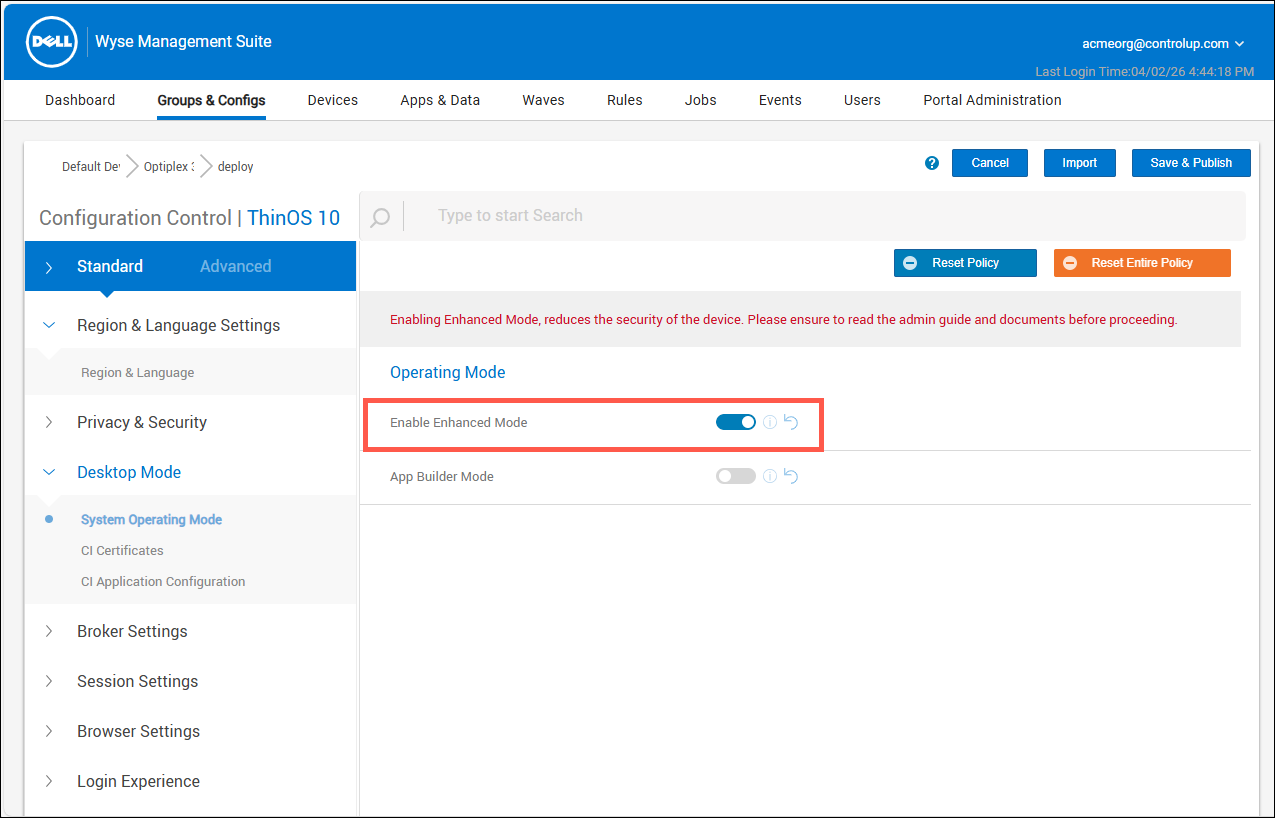
- Enable Enhanced Mode turned ON on the devices where you will deploy the agent.
Download link
https://downloads.controlup.com/cu4d/thinOS/ci_cu4d_2.18.0.49951.zip
Deploying
Step 1: Create a .cfg file
The .cfg configuration file must be created, uploaded, and configured before the .pkg CI Application Package is installed on the ThinOS device.
If you don't, you'll need to uninstall the cu4d_*.pkg package and re-install it for it to function properly.
- Copy and paste the following text into a text file.
tenant="dex-yourTenantNameHere.sip.controlup.com"
deviceregcode="insert here your dev reg code"
proxy=""
proxy_test_ip=""
group="ThinOS_or_whatever_you_like"
proxy_required=false
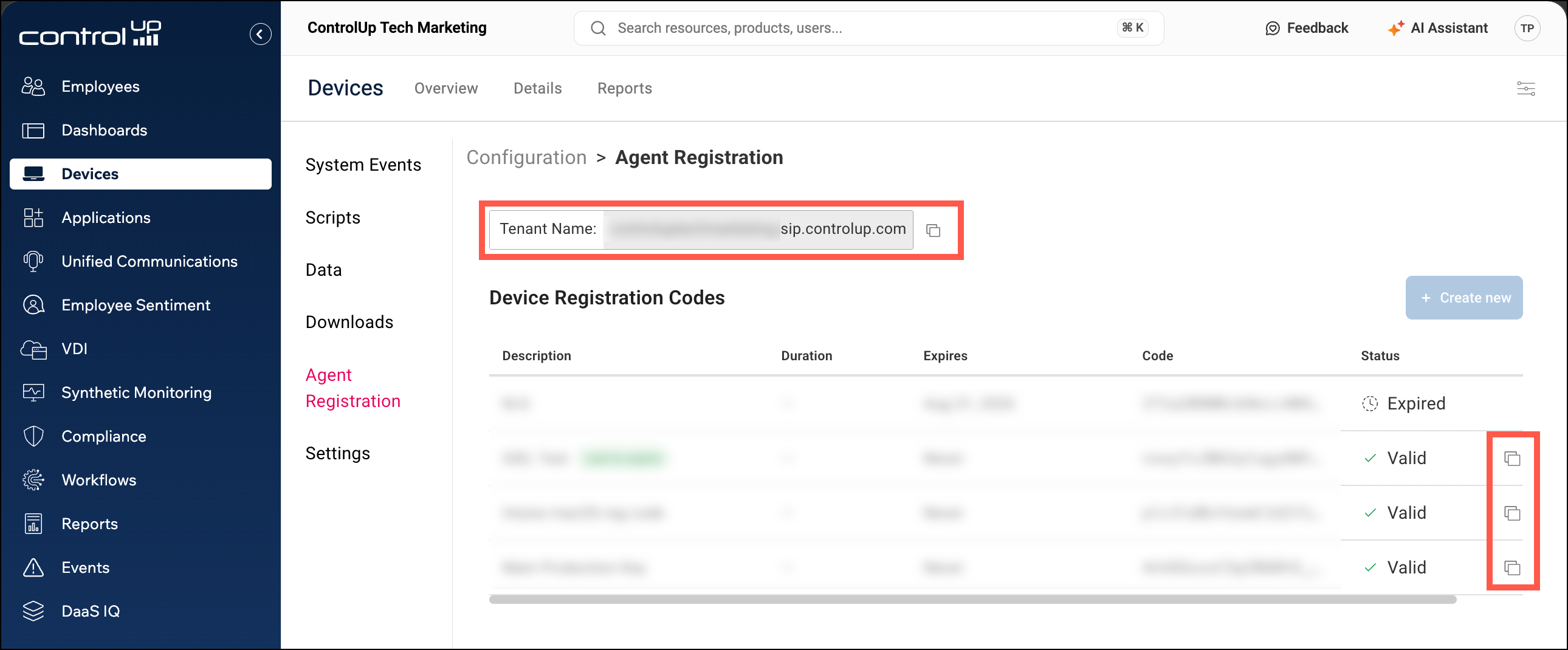
- You must enter your unique tenant name and device registration code into the file. The other fields are optional. You can find your tenant name and device registration code by going to Devices > Configuration > Agent Registration.
- Save the file as a .cfg file.
Step 2: Upload and add the .cfg file as CI Application configuration
- Upload the .cfg file to the WMS.
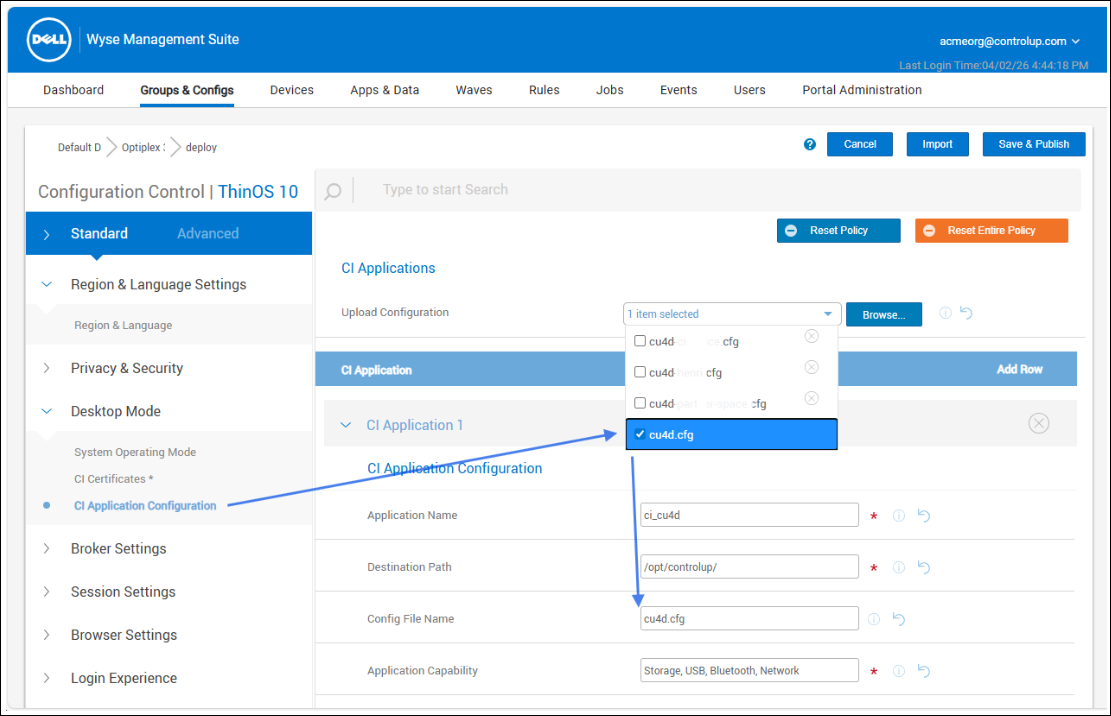
- Create a CI Application Configuration as follows:
- Application Name: ci_cu4d (or something memorable for you)
- Destination path: Must be
/opt/controlup/ - Config File Name: Must match the name of the file you uploaded
- Application Capability: Storage, USB, Bluetooth, Network
Step 3: Upload the signing certificate
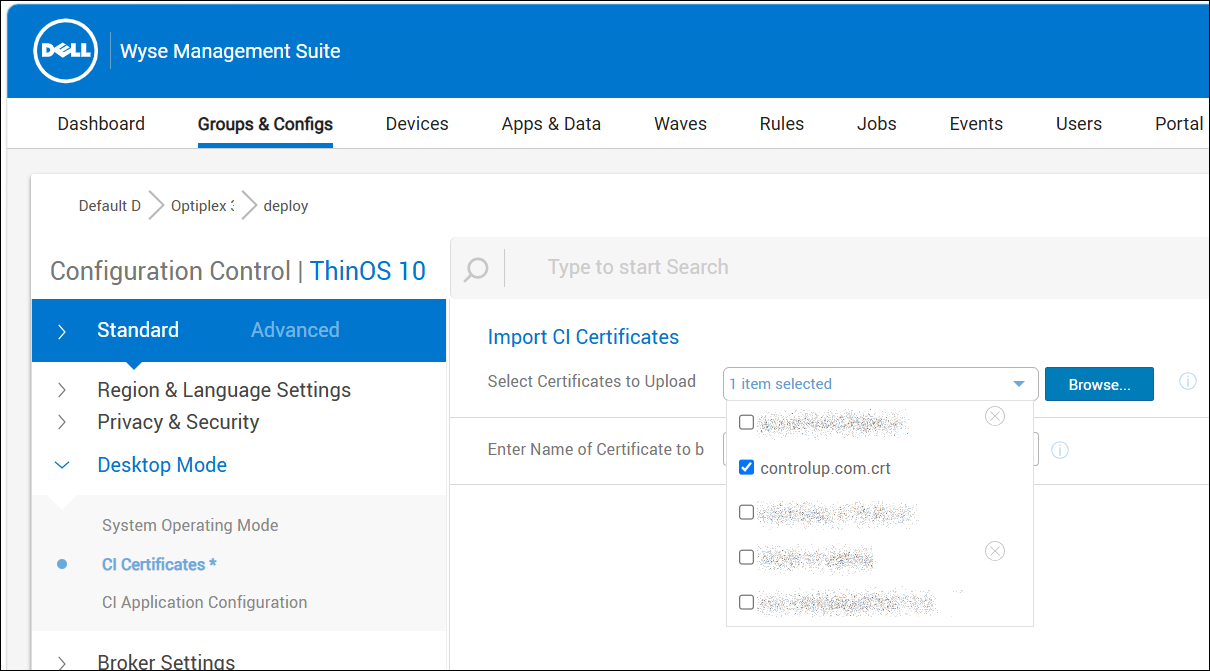
As mentioned in the Requirements, the package requires you to upload its signing certificate, which will be provided by ControlUp.
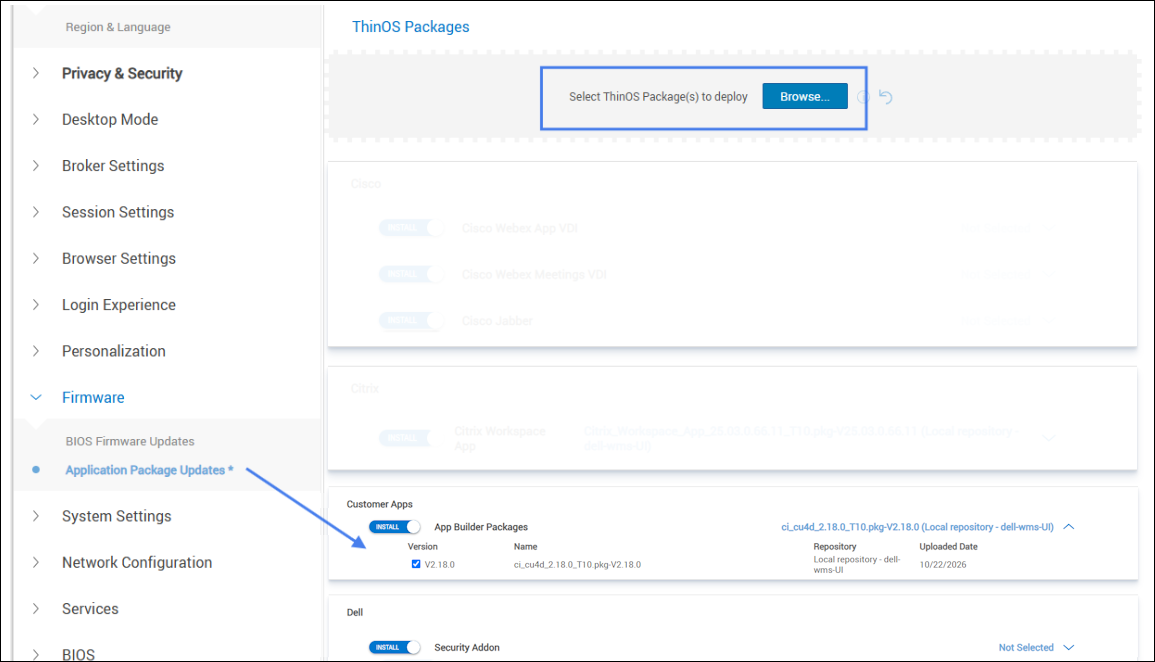
Step 4: Deploy the ci_cu4d_2.18 package
After uploading and adding the .cfg configuration file, upload the ci_cu4d_2.18 .pkg package provided (with Browse & Deploy in the config screen, or via the ThinOS application packages).
Reference articles
The package includes a special version of the components described in the documents below. Please contact your ControlUp representative with any questions.
Data collection and feature scope
This table highlights the data collection, features, and actions that are currently supported:
ControlUp for Desktops
| Feature category | Supported | Not Supported |
|---|---|---|
| Device Health and Performance Monitoring | • CPU load • Memory usage • Wi-Fi signal • Network latency • Application behavior • Endpoint connectivity • Quickly pinpoint problems |
• Blue screens • App crashes • OS event logs (not out of the box) |
| Device inventory | • Installed applications • Display monitors count |
• Monitor layout & resolution |
| Automated Troubleshooting and Remediation | • Proactive notifications • Automated script execution • Live session Remote Control (for P2P, a prerequisite is needed) • Paste as keystrokes • Shadow (view only) • We will provide a set of community scripts at some point |
• Remote Shell • Paste with Ctrl+V |
| Proactive Optimization | • Proactive synthetic testing • Built-in automation capabilities • Automatically remediate common endpoint issues |
|
| Other CU4D features | • Active Processes view • Installed applications view • Services state (Running/Stopped) • Services Start Mode • Power events: Boot • Built-in automation capabilities • Send Message |
• Services will likely not be included |
| Employee view | • Partial, highly dependent on whether the login uses a UPN | • Not officially supported |
| Unified Communications | • No UC tools monitoring for Linux-based thin clients (out of the box) | |
| Surveys | • No Linux-based thin client supports this at the moment |
ControlUp for Apps
| Feature category | Supported | Not Supported |
|---|---|---|
| Employee-Centric Troubleshooting Across Applications | • View the browser data in the Data indexes only • Track key metrics like Page Load, Time to First Byte (TTFB), and error rates |
• Visualize the entire user journey with timeline-based dashboards |
Other products and features
| Product | Supported | Not supported |
|---|---|---|
| ControlUp for (web)Apps | • Partial, highly dependent on whether the login uses a UPN | |
| ControlUp for Compliance | • No Linux-based thin client supports this at the moment | |
| Dashboards | • Should work, pending creation of ThinOS-specific templates | |
| Workflows | • Need to evaluate and build templates for Workflows |