DEX Platform
New sidebar navigation (Oct 6)
We’ve updated the left sidebar to make it easier to navigate in the ControlUp platform. You can now expand the sidebar to see the name of each product area. Additionally, the icons for Employees, Dashboards, and Employee Sentiment have been updated. Watch this short demo video to learn more..png)
Dashboards (Oct 1)
Continuing our beta program for Dashboards.
You can now create dashboards tailored to your organization’s specific needs and priorities. Use out-of-the-box dashboards provided by ControlUp, or create your own using our powerful Widget Builder. You can create, filter, group and aggregate metrics, with various visualization options.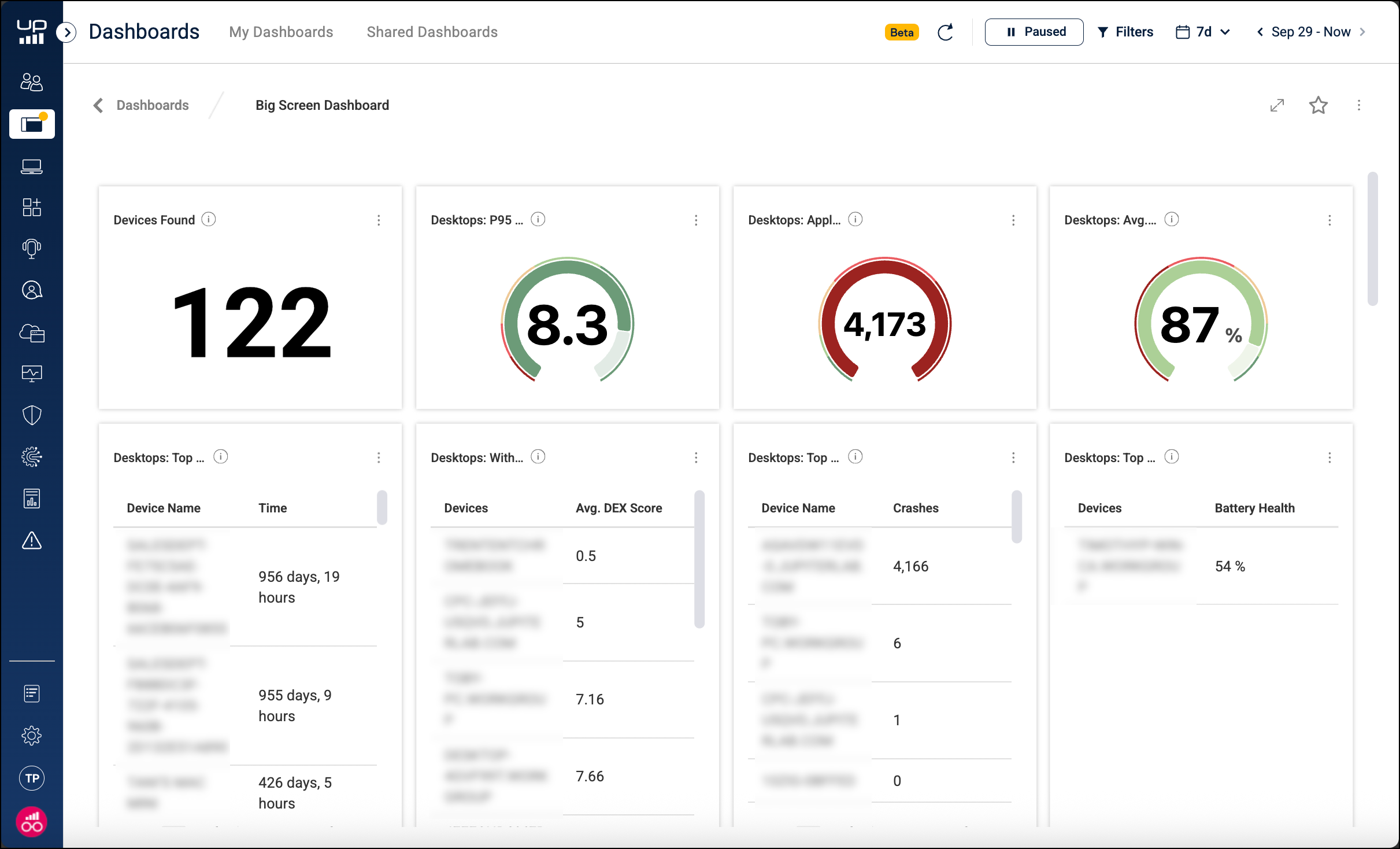
ControlUp for Desktops
Enrich browser extension version 2.0.14 (Oct 20)
Remote Control and Remote Shadow sessions now launch using the updated UI.
If the Enrich icon is not displaying properly, you can now right-click the Enrich extension in your browser toolbar and click Reset UI Position to restore the default position.
New employee experience drilldown (Oct 7)
The new experience drilldown page gives your help desk a unified view to quickly investigate and resolve an employee’s IT issues. When you drill down into an employee’s experience, you can now:
See a precise timeline of events, alerts, and incidents.
Gain smart contextual insights to help identify the problem.
View troubleshooting guidance and perform one-click remediation actions.
Launch Remote Control to assist the employee.
The drilldown’s Virtual Expert feature lets you provide your help desk staff with relevant guidance, resources, and remediation actions that are tailored to the specific event or issue they are investigating.
.png)
ChromeOS Remote Control (Oct 7)
You can launch Chrome Remote Desktop directly from ControlUp to remotely control your ChromeOS devices. This feature lets your help desk provide seamless support to ChromeOS users without switching tools.
ChromeOS actions (Oct 7)
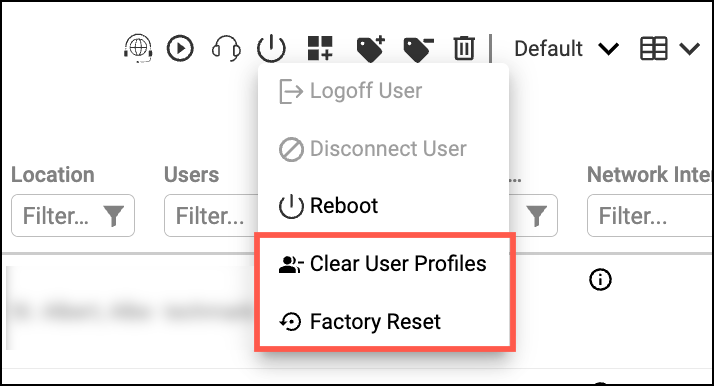
We’ve added the Clear User Profiles and Factory Reset power actions for ChromeOS devices. In case you missed it, back in September we also released the Reboot action. To use these actions:
The Google Cloud connector must be configured in your environment.
If you have an existing connector, you must reset and reauthenticate it. This is required to accept the new permission scope needed for the reboot action.
Launch remote session in new tab or new window (Oct 7)
When you start a Remote Control or Shadow session, you can now select whether to start the session in a new browser tab or a separate window.
Updated Remote Control UI (Oct 7)
We’ve updated the UI for Remote Control and Shadow sessions to make it easier to access key actions and features.
.png)
ControlUp for VDI
See details in the Latest VDI Version release notes.
For previous versions, see ControlUp for VDI (Real-Time DX versions).
For all 9.1.5 users (Oct 30):
We have released version 9.1.5 build 406 as an emergency maintenance update to resolve two critical issues affecting system stability and Citrix Cloud connectivity. We strongly recommend upgrading as soon as possible to:
Prevent potential monitor unresponsiveness caused by network-related deadlocks
Restore full Citrix Cloud connectivity across all environments
Improve system reliability, data streaming, and configuration synchronization
Go to the Download Center to get this latest build for the Real-Time DX Console and Agents.
Need help? Contact your support representative.
Synthetic Monitoring
Custom hives are periodically released. For the latest information, see Custom Hive Release Notes.
Workflows
New Features
We're rolling out some of our new features gradually to ensure a smooth and stable experience. If you don't see a new feature in your organization yet, don't worry - it will be available soon.
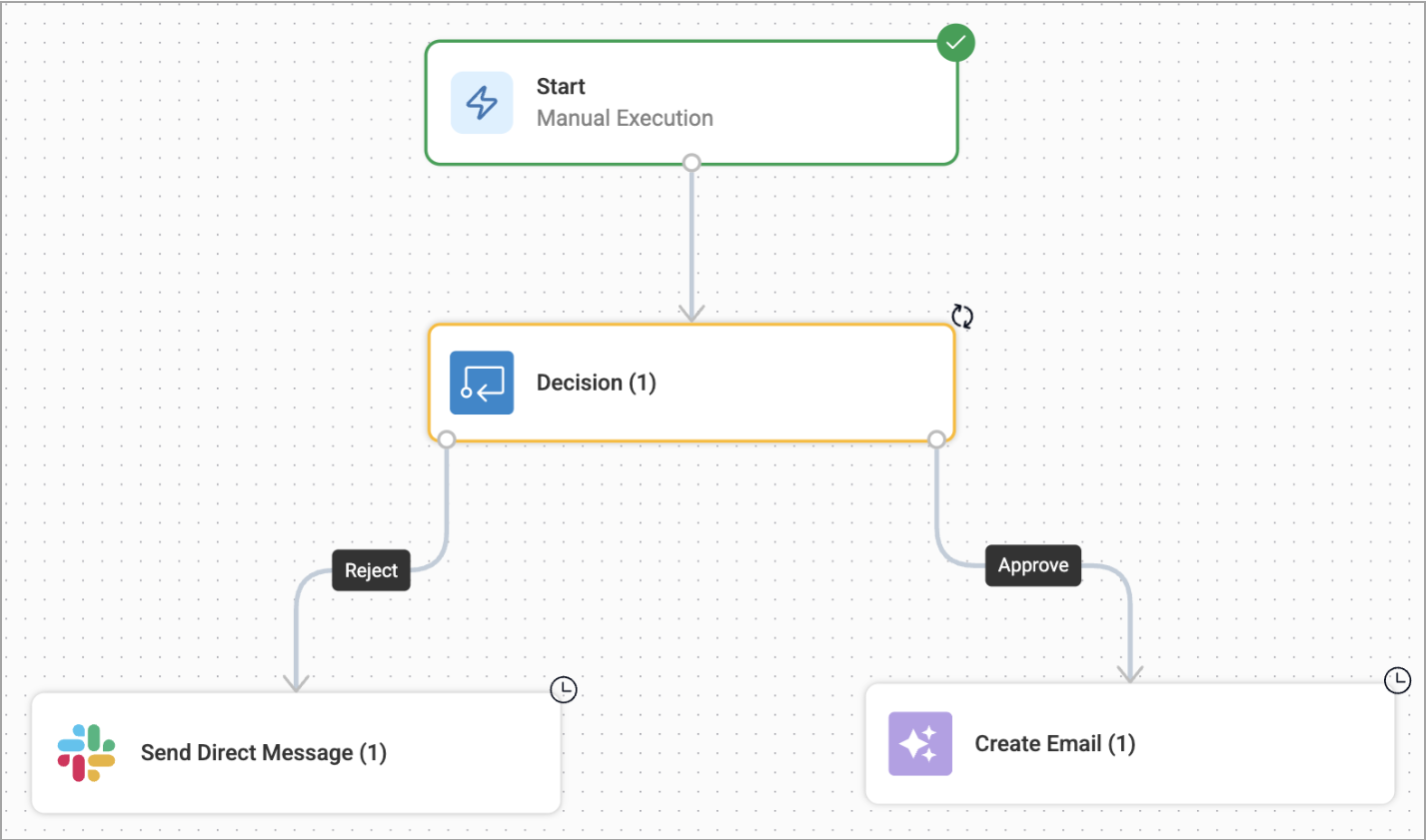
Decision Node (Oct 30)
You can now set your flows to pause at key decision points to wait for user input. This node sends a message prompt via Slack, Microsoft Teams, or Email (Gmail, Microsoft Outlook), then continues based on the user’s selected action. Ideal for handling confirmations, exceptions, or approvals.
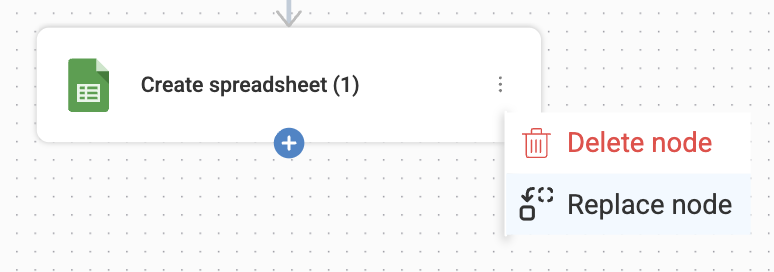
In-Place Node Replacement (Oct 30)
Editing workflows just got faster! You can now swap one node for another directly on the canvas - no need to manually delete and replace. This makes testing and refining your automation logic quicker and easier than ever.
Azure DevOps Integration (Oct 30)
Workflows now integrates with Azure DevOps. Use this integration to automate development and operations, connect your flows to boards and pipelines, streamline your CI/CD processes and trigger builds, and manage work items directly from Workflows.
Node-level Testing (Oct 30)
You can now test individual nodes directly on the canvas without running the entire flow! This makes debugging and development faster and easier. You input the required test data for a single node and instantly view the output, allowing you to validate logic, troubleshoot integration issues, and confirm variable outputs with greater efficiency.
Date Manipulation Nodes (Oct 30)
We've introduced a powerful set of Date Manipulations nodes offering enhanced control over your flow inputs and outputs. You can now simplify date formatting, advanced math operations, and quickly create JSON objects on the fly, with no need for complex expressions or external tools.
Run History Page Display Enhancements (Oct 30)
We’ve improved how nodes are displayed on the Run history page, making it easier to follow the flow’s execution path and understand each step’s status. This enhancement simplifies troubleshooting and helps you review runs more efficiently.
Microsoft Entra ID Integration Enhancements (Oct 30)
We’ve enhanced our Microsoft Entra ID integration to give you more granular control over user and group management:
Added new List User Memberships action that lets you quickly retrieve all groups a user belongs to - ideal for access and offboarding automations.
Improved the Create User Account action for greater reliability and managing of user properties.
Beta
The following feature is available only for beta customers. To try it, join our beta program.
Forms (Oct 30)
You can now create and deploy secure, hosted HTML forms that connect directly to your flow logic. Use forms to seamlessly collect inputs like incident reports, change requests, and evaluations - automating data capture and triggering flows based on user submissions.
Jamf Pro Listener (Oct 6)
We've added Jamf Pro as a new Listener trigger service, enabling event-driven workflows that automatically respond to changes and events within your Jamf environment. It helps you streamline operations and improve responsiveness across your device management ecosystem.
Azure & AWS Integrations (Oct 6)
Added to provide more monitoring and actions capabilities throughout your Azure and AWS environments, including:
AWS IAM
Azure Key Vault
New Templates (Oct 6)
We've added the following templates to help you easily automate common scenarios:
Grant Temporary Device Admin Access
Power Outage Notification
Auto-Tag Desktops by User Location & Cloud PC
Favorite Integrations (Oct 6)
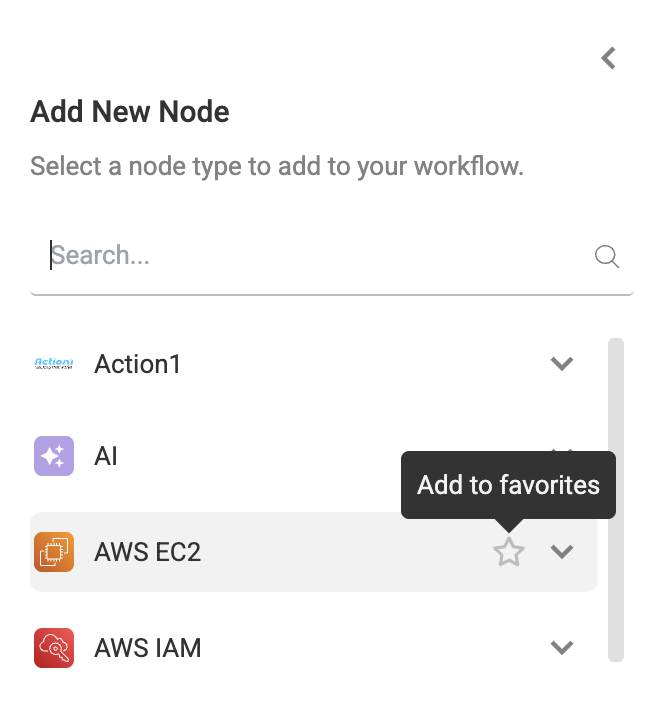
You can now quickly set your most frequently used integrations as favorites for easy access on the flow canvas. Favorite integrations will automatically appear at the top of the Add New Node sidebar, making it faster to locate and add essential tools, streamlining your flow-building.
PagerDuty & Freshservice Integrations Enhancement (Oct 6)
We’ve updated and improved the PagerDuty and Freshservice integrations to ensure greater stability and reliability when automating your incident and service desk operations.
ControlUp for Desktops Integration Enhancements (Oct 6)
We've made several enhancements to the ControlUp for Desktops integration to give you more precision and control over your device automations:
Enhanced Script Execution: The Run Script action node now offers more precise control over the execution context. You can define exactly how the script runs by choosing one of the following options: All Users, Specific Session ID or System. This allows you to target scripts exactly where you need them, whether in the system context or a specific user session.
Targeting Flexibility: You can now filter devices based on their
is_onlinestatus, providing you with more granular control to target actions in your flows.
ControlUp for VDI Integration Enhancement (Oct 6)
We've enhanced the ControlUp for VDI integration to give you greater flexibility when querying historical data. You can now define the required date and time parameters by providing a variable containing the date, in addition to using the standard date picker. This allows for more dynamic and automated date input within your flows.
Usability Enhancements (Oct 6)
We've implemented several UI enhancements and improvements across the Workflows platform to make your overall experience smoother, more intuitive, and visually polished.