DEX Platform
Dashboards (Sept 30)
You can now create dashboards tailored to your organization’s specific needs and priorities. Use out-of-the-box dashboards provided by ControlUp, or create your own using our powerful Widget Builder. You can create, filter, group and aggregate metrics, with various visualization options.
This feature is in Beta and is available to all ControlUp for Desktops users. Let us know what you think in the ControlUp Community Slack Channel.
Bug fix (Sept 29)
Unexpected Authorization Loss with Microsoft Entra ID: The application’s OAuth authorization used to automatically expire after 90 days when logging in with Entra ID, as it was unable to renew expired access tokens. We’ve fixed this by adding the
offline_accessscope permission to the authorization request, which lets the application obtain refresh tokens to maintain persistent connections.To apply this fix, re-authorize the OAuth integration by clicking Authorize.
ControlUp for Desktops
Enrich browser extension version 2.0.13 (Sept 30)
Automatically log work notes in ServiceNow: Actions performed on a device using Enrich from the ServiceNow Incidents page - such as Remote Control or running a script - can now be automatically logged in the Work Notes section of the ServiceNow Incident. You can enable this feature on the Enrich settings page.
iframe support: Enrich can now detect devices or users within an iframe. You can enable this feature on specific websites when adding or editing a supported site on the Enrich settings page.
Application crashes and BSOD filtering: In the Application Crashes and BSODs tab, you can now click on a bar in the chart to filter and view specific events.
Remote Control/Shadow bug fix: Fixed an issue causing you to be unable to open a minimized Remote Control/Shadow session when Enrich is in the collapsed view.
BSOD column sizes bug fix: Fixed an issue with the column sizes in the BSOD table.
Dark mode bug fix: Fixed a dark mode UI issue with the Enrich icon.
Reboot ChromeOS devices (Sept 22)
You can now reboot your ChromeOS devices directly from ControlUp. To use this feature:
The Google Cloud connector must be configured in your environment.
If you have an existing connector, you must reset and reauthenticate it. This is required to accept the new permission scope needed for the reboot action.
Enrich browser extension version 2.0.12 (Sept 16)
Device Events tab: We've added the Device Events tab in Enrich to see device events, including all triggered ControlUp alerts.
Event log filtering: You can now click on a bar in the Events Log chart to filter and view specific events.
Improved UPN detection: UPN detection is now more strict, preventing partial matches from incorrectly identifying users.
Direct link to Device Details view in ControlUp: We've added a link button next to the device's name to take you directly to the device's details page in ControlUp.
Note that it might take some time before the new version is available in the Chrome and Edge extension stores.
See application install path (Sept 16)
When viewing the Installed Applications report or the Installed Applications tab in the details page for a specific device, you can now see the install path for each application.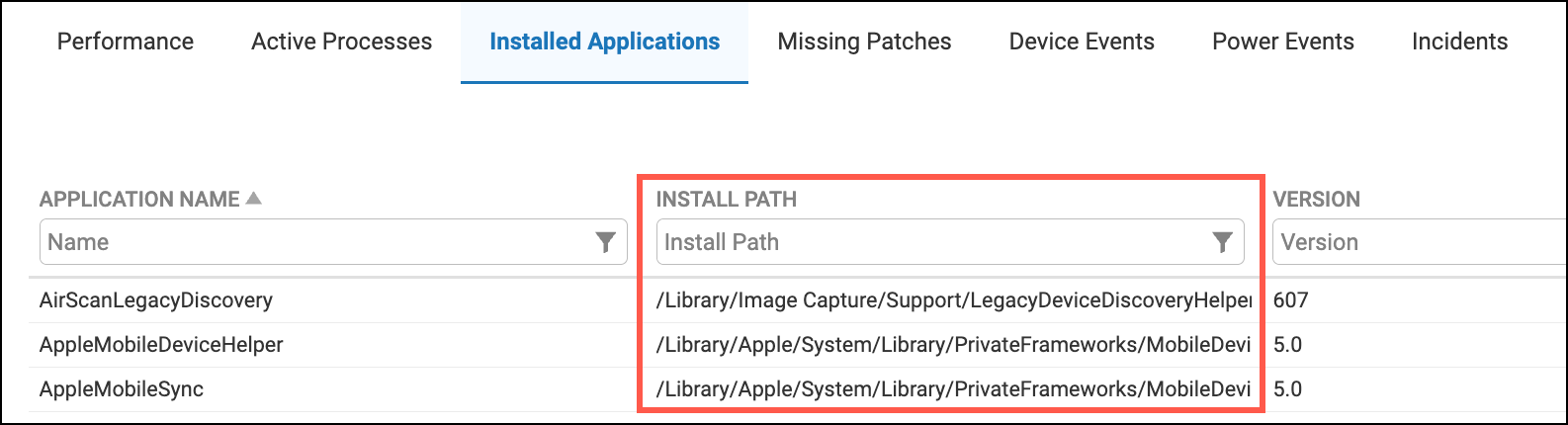
Import and export scripts (Sept 16)
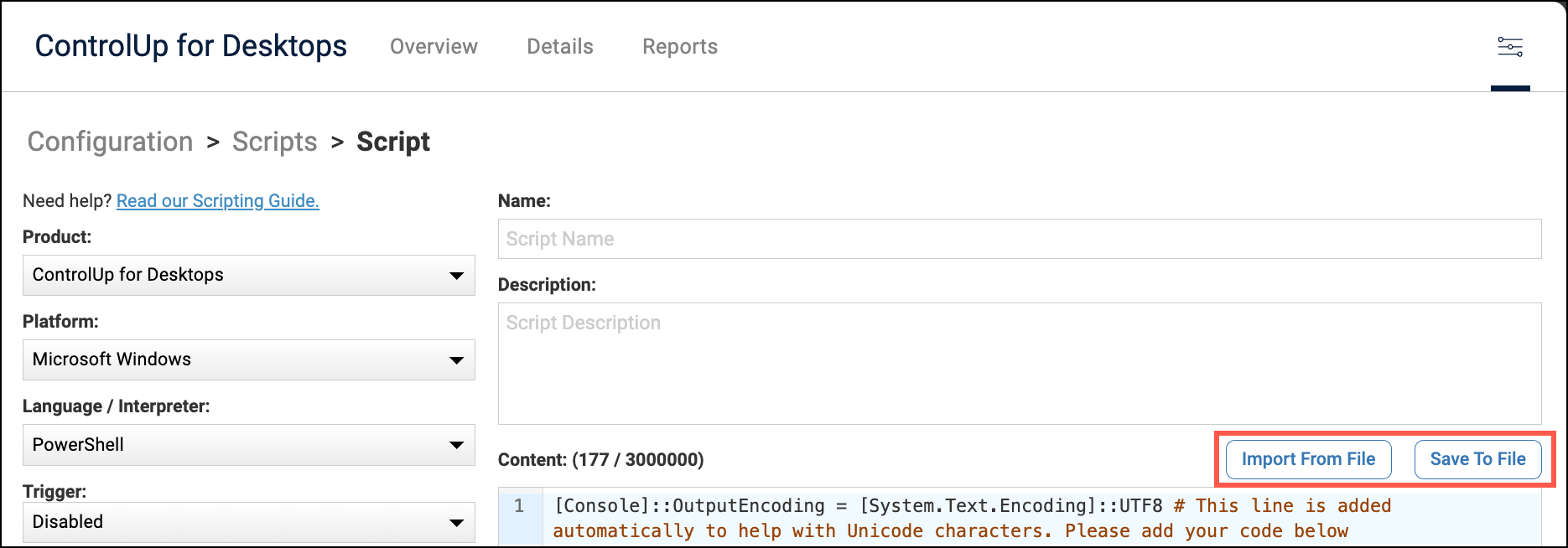
To make it easier to add your scripts to ControlUp, you can now import a script file in our script editor. You can also export a script from ControlUp.
Linux Agent 2.17.5 (released September 14 - 2.17.5.6932)
Note for IGEL OS 11 deployments
The IGEL OS custom partition size must be increased to 200MB due to increasing data storage requirements. The previously recommended 100MB is no longer sufficient.
Features
Customizable Agent performance thresholds: The following Agent settings are now customizable in the Extended Settings page:
CPU Idle Threshold: A device’s CPU is considered to be idle if it is below the set CPU usage percentage threshold. This affects the Run only when idle option for scripts.
Process Monitoring Threshold % (CPU) - Sets the CPU usage threshold for a process to be named in the CPU Usage chart when viewing details for a device. These processes are in the _highresourceprocs data index.
Process Monitoring Threshold % (Memory) - Sets the Memory usage threshold for a process to be named in the Memory Usage chart when viewing details for a device. These processes are in the _highresourceprocs data index.
Improved Ubuntu Shell experience - We’ve introduced Cu4dShell to provide a better Remote Shell experience especially for Ubuntu platforms. The CTRL+C handling has been improved and flow control for long listings can now be aborted with this standard key combination.
Improved Remote Control security.
Fixes
When the Remote Control floating notification icon option was enabled, it was still possible to sometimes see the task tray icon after a device reboot.
Custom device locations weren’t immediately applied. Now, devices will appear at the custom location within a few minutes.
Wi-Fi information such as SSID, signal strength, and frequency, were not always recorded.
The
platformfield (for OS platform) was not recorded correctly in multiple data indexes.Fixed an issue causing details about processes with no friendly name to not be recorded and displayed correctly in widgets. If a process has no friendly name, the name now defaults to the executable name instead.
Fixed an issue causing device battery health to always show 100%.
For a device’s network usage, downloaded data was recorded as sent, and uploaded data was recorded as received. This is now fixed to record the correct direction of data transfer.
Reset UCC integration configuration (Sept 8)
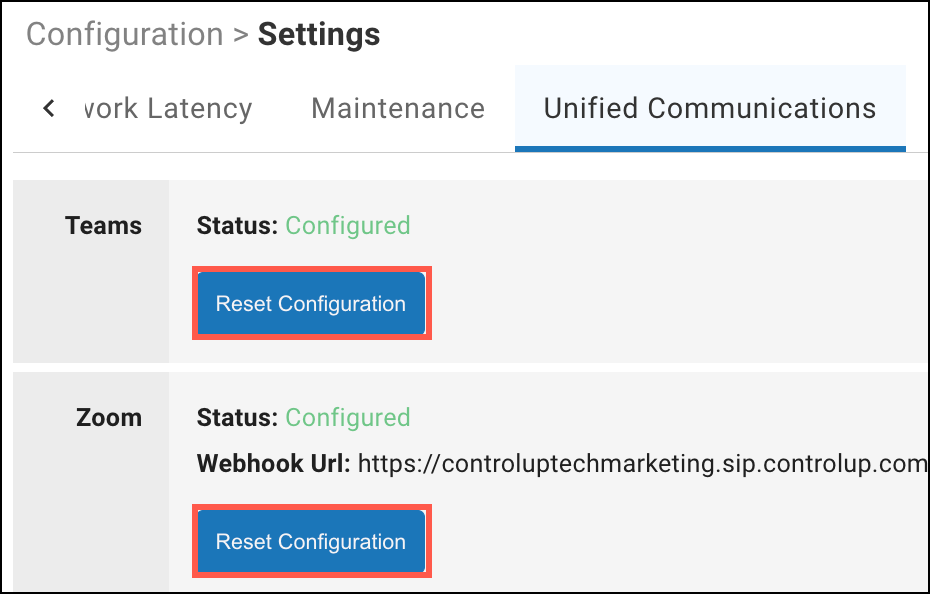
You can now click Reset Configuration to remove an existing Zoom or Microsoft Teams integration. Previously, you could only replace an existing configuration with a new configuration.
See device network interfaces (Sept 8)
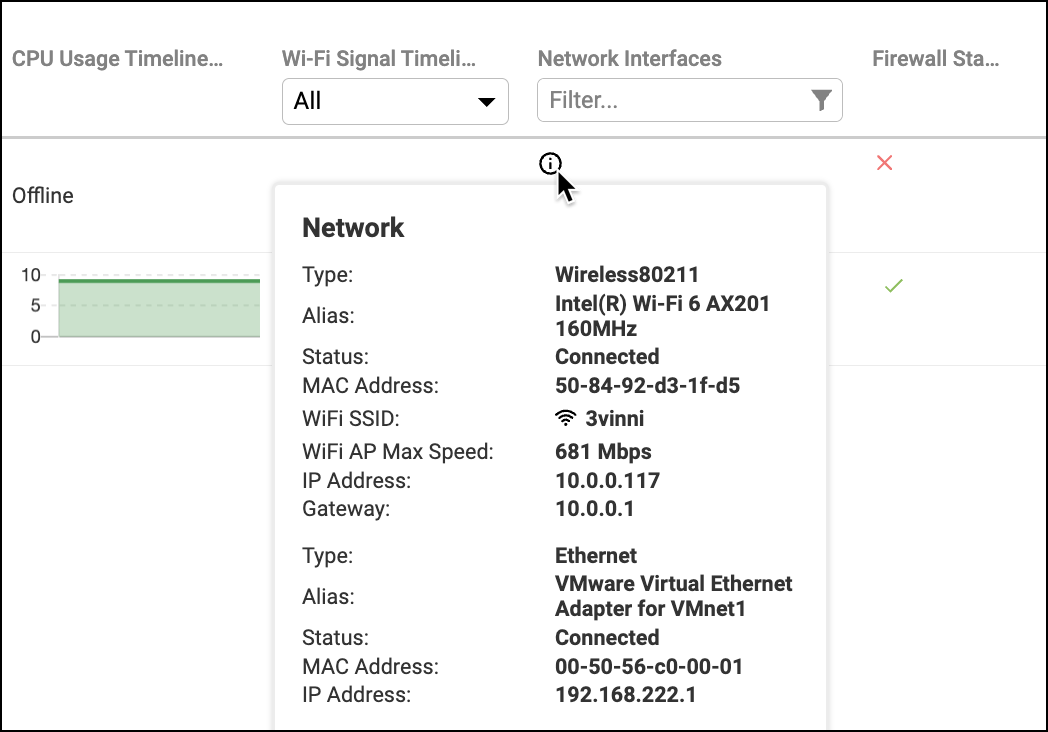
On the main Devices grid, we added a new column Network Interfaces. Use this column to see details from all connected or disconnected network interfaces. You can apply a filter to the column to show only devices with specific IP address, SSID name, etc.
Enrich browser extension version 2.0.11 (Sept 2)
Improved support for ControlUp organizations with a high number of devices.
Improved reliability of device detection
Note that it might take some time before the new version is available in the Chrome and Edge extension stores.
AI Chatbot
The AI Chatbot has been decommissioned. Stay tuned for new and improved AI capabilities coming soon.
ControlUp for Compliance
More flexible monthly scheduling (Sept 29)
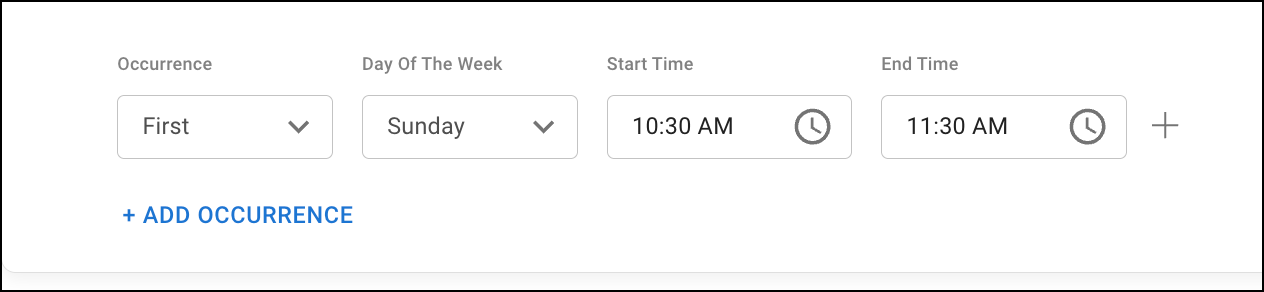
You can now set monthly schedules based on the days of the week, such as the first Sunday of each month. This gives you more precise control to align with your team's specific calendar. Note that this feature requires Compliance Agent 1.5 or higher.
Separate times windows for weekly schedules (Sept 29)
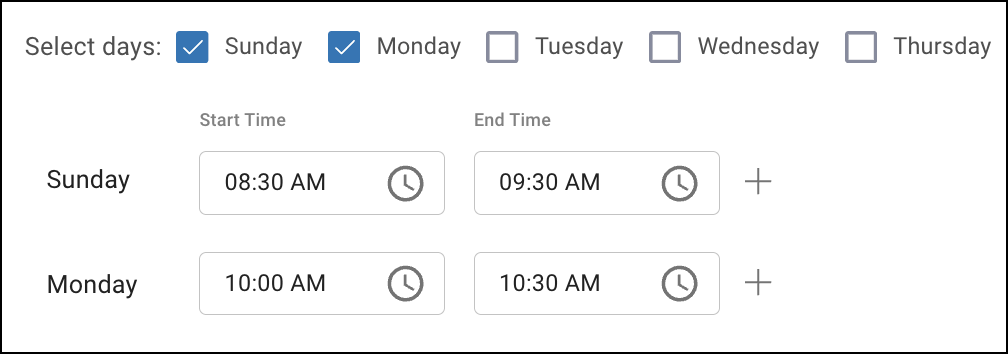
When creating a weekly schedule with multiple days, you can now set a different time window for each day. Previously, all days in a weekly schedule had to share the same time window. Note that this feature requires Compliance Agent version 1.5 of higher.
Improved patch deployment tracking (Sept 2)
You can now see detailed real-time status updates from each device about patch deployment progress, including more information about why a patch failed or is delayed. You can see the new information in the Remediation Status column when you drill down into either the Devices or Apps page. .png)
ControlUp for Apps
Extension UI now shows if a site is monitored (Sept 29)
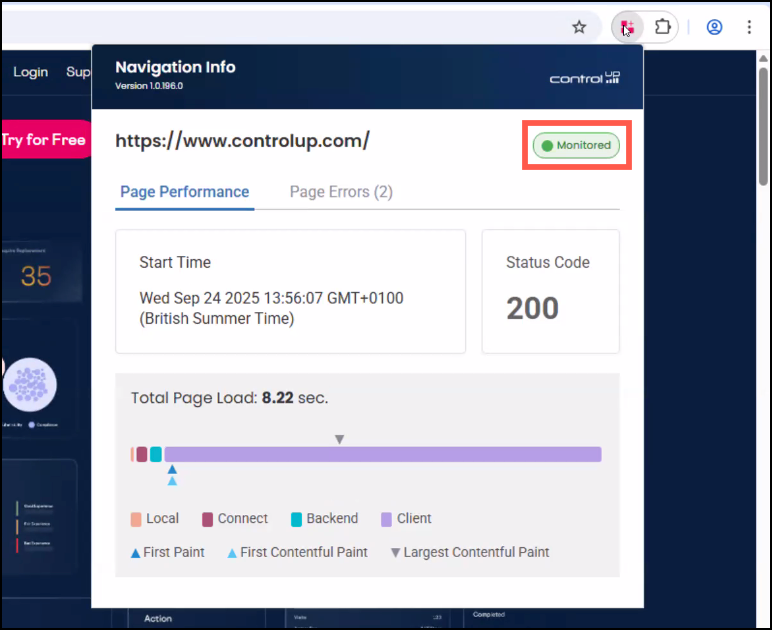
Opening the browser extension shows page load metrics and errors for the site you are viewing, regardless of whether the site is part of a monitored app group in ControlUp for Apps. The extension now displays if the site you are viewing is Monitored or Not Monitored.
ControlUp for VDI
See details in the Latest VDI Version release notes.
For previous versions, see ControlUp for VDI (Real-Time DX versions).
Web Application (Sept 29)
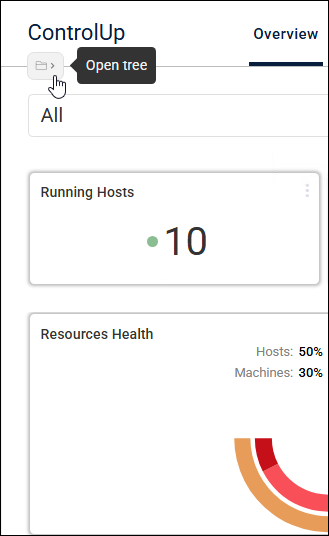
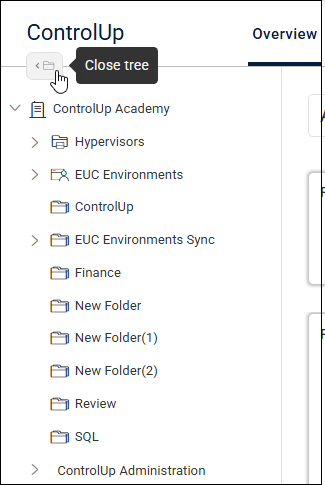
To open and close your organization folder tree in the VDI App, click the new open tree icon  on the left side next to the page navigation icons.
Remote Clients Plugin version 2.4.2.136 (Sept 1)
Version 2.4.2.136 is now available for:
Omnissa Horizon
Citrix Workspace app
Microsoft AVD & Windows 365
Amazon WorkSpaces
Fix
257269: Running the Remote Clients Agent no longer crashes the Citrix Workspace app.
Synthetic Monitoring
New Cloud Hive in Poland (Sept 16)
We're excited to announce the launch of our first Cloud Hive in Eastern Europe, located in Poland. For address details, visit:
Cloud Locations Used by ControlUp Products
Communication Requirements for Synthetic Monitoring
Shell Scout output email attachments (Sept 8)
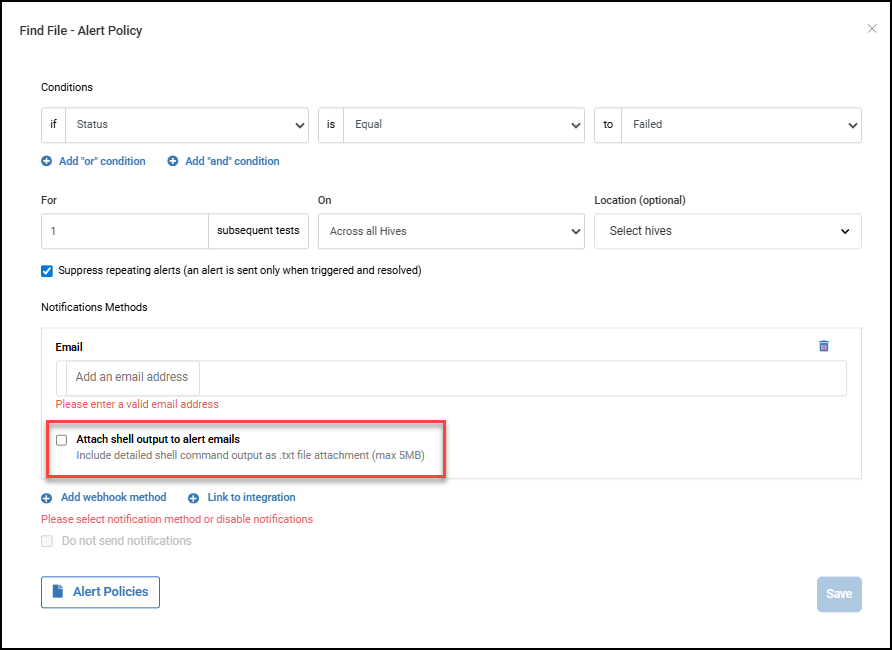
You can now attach Shell diagnostic output to alert emails as a .txt file whenever alert conditions are met and triggered. This puts key diagnostic information directly in your inbox, so you don’t have to log into another system to retrieve it. The result is faster diagnosis and resolution.
The feature is optional, giving you full control over what data is included in your emails.
Custom Hive 1236 (Sept 16)
Citrix: Enhanced Citrix resource monitoring when running using the Citrix Workspace app for Windows:
Better screenshots, logs, and post-readyState error handling.Custom Hive NTLM Proxy authentication: Fixed a connection failure in HiveService that occurred when using NTLM proxy authentication.
Citrix Pre-authentication Privacy Policy Form: Fixed authentication failures during login that occurred when Citrix scouts encountered a Privacy Policy acceptance form.
Custom Hive Service recovery: Improved HiveService recovery from network disruptions.
Custom Hive 1235 (Sept 2)
Ping Scout error: Fixed an issue with Ping Scout failures due to character encoding errors on Windows systems using non-English language settings.
EUC Scout authentication failure: Improved an issue of EUC scouts authenticated by Okta failing to authenticate.
Citrix MFA fix: Fixed a bug in the scout’s MFA failing to properly populate the passcode field on Citrix login screens.
Workflows
New Features
We're rolling out some of our new features gradually to ensure a smooth and stable experience. If you don't see a new feature in your organization yet, don't worry - it will be available soon.
Listener trigger (Sept 16)
We added a new Listener trigger type that automatically initiates flows from events originating from ControlUp for Desktops. This powerful capability enables you to create event-driven automations, seamlessly integrating and reacting to changes across your ecosystem for greater efficiency and responsiveness.
Mask variables (Sept 16)
We added a Mask variables feature to help you handle sensitive information more securely. You can now choose to mask a variable, ensuring its value is hidden in both the flow canvas and execution logs. This enables you to protect confidential data within your workflows, such as passwords, API keys, or personal information.
New integrations (Sept 16)
Added to provide more monitoring and actions capabilities throughout your environments. New integrations include:
Azure Blob Storage
Google Meet
Usability and Design Improvements (Sept 16)
We've made usability improvements to the flow canvas to enhance your building experience. Creating and editing flows is now smoother and more intuitive, with visual and functional enhancements designed to make the canvas simpler to navigate and use. More improvements are planned for future releases - stay tuned.