DEX Platform
Tenant Manager - License Restriction When Creating Organizations (December 29)
Tenant Manager now enforces a license-based quota when creating organizations at the account level. This ensures that the number of organizations you can create is aligned with the licenses available in the account. When creating new organizations within the Tenant Manager, the system now applies a ratio of one organization per 150 licenses. This includes both VDI, Desktops only, and mixed organizations where your limit is determined by your license quota.
Tenant Manager - Account-Level Enhancements (December 16)
Tenant Manager, ControlUp’s platform for MSPs and multi-tenants, now supports Account-level tenant management, to simplify onboarding and license management.
You can:
Add and edit tenants and allocate licenses directly from your dashboard.
Use the new Prospects feature to set up new tenants with a 21-day free trial without using license allocation. When the trial period ends, the prospect can convert to a licensed tenant.
Manage tenants at the Account level (where licenses are allocated from a shared pool), in addition to the existing Organization level (where tenants have standalone licenses).
ControlUp for Desktops
Enrich browser extension 2.0.15 (Dec 23)
Search for any device from any site - You can now use Enrich for any device, even if it isn't mentioned on your current webpage. Click the Enrich extension in your browser toolbar to search your ControlUp environment by device name, serial number, UPN, or display name.
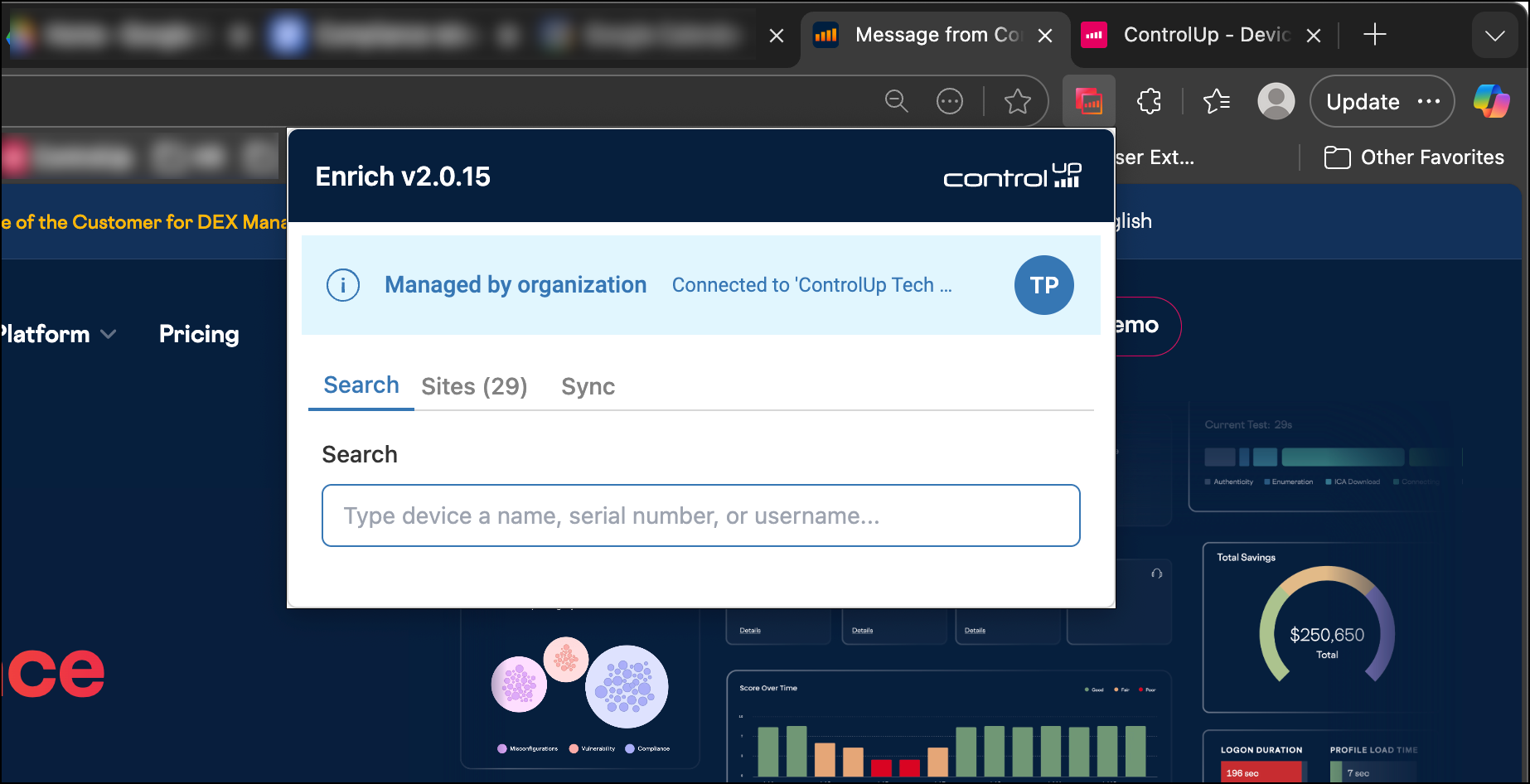
Direct sign-in and sign-out - You can now sign in or out of ControlUp directly from the Enrich extension. Signing out clears cached data and ensures that the Enrich overlay icon no longer appears.
Reorder tabs - When you open the extension from your browser toolbar, you can now reorder the Search, Sites, and Sync tabs.
Reliability improvements - Improved the reliability of device detection methods.
Windows Agent Manager 2.17.7.386 (Dec 10)
Fixed an issue causing the GUI Agent installer to fail to connect to the tenant after clicking the Test button.
Fixed an issue causing PROXY_TEST_IP to not be saved when set during installation.
All Agent Managers automatically update to the latest version.
Note: a previous version of the release notes listed the wrong build number.
ControlUp for Compliance
Pause Templates (Dec 16)
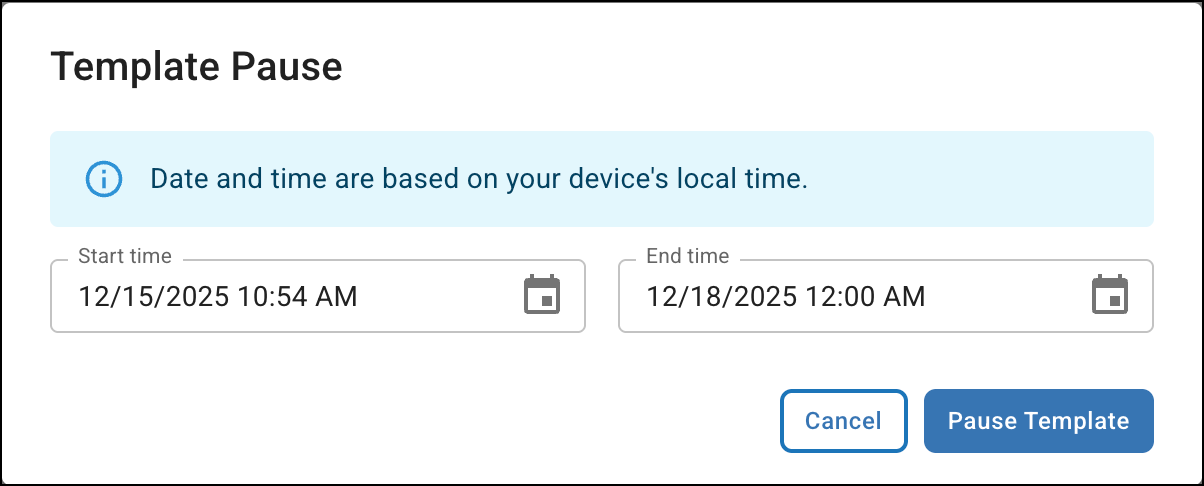
You can now pause a Template for a defined period of time. This is useful for preventing scanning or remediation during events like a maintenance window. The Template automatically resumes at the end of the pause duration.
Reduced Network Traffic (Dec 16)
The ControlUp for Compliance Agent now downloads required scanning and remediation files only when necessary (when a Template is about to run, or when a manual remediation Job is initiated). Additionally, these files are now cached to prevent extra downloads. This update reduces overall network traffic, especially for Templates that run infrequently.
Select all Filtered Issues (Dec 16)
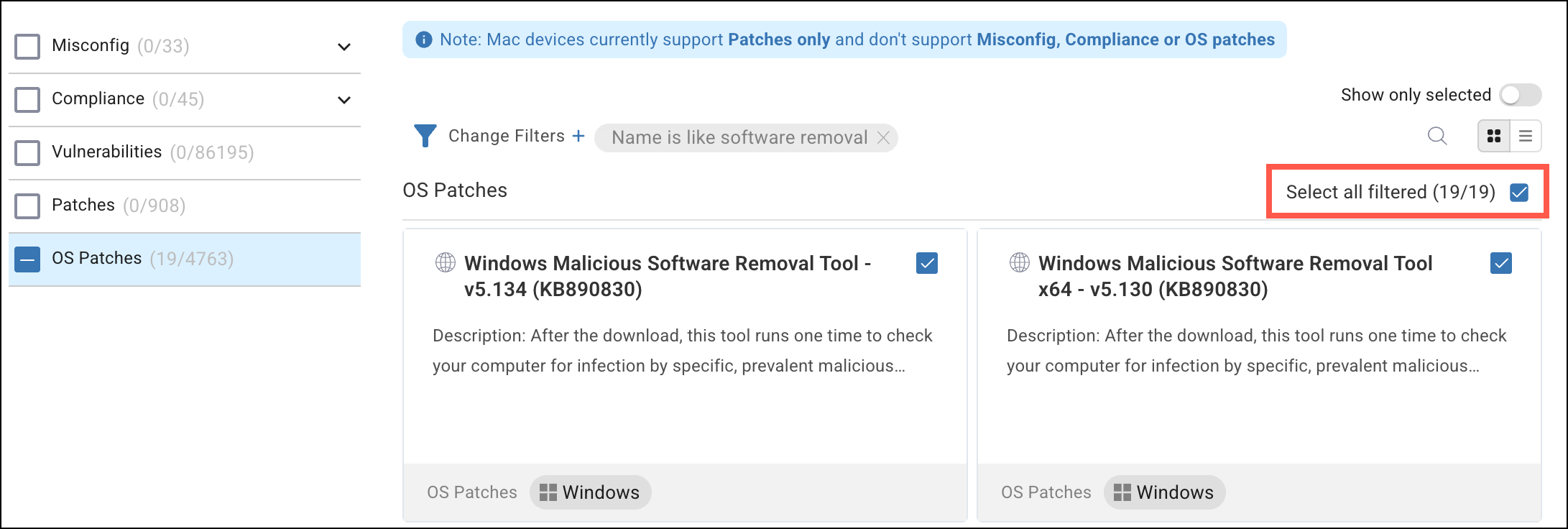
When selecting issues for a Template, you can now quickly select all matching filter results. Apply a search filter and click Select all filtered to select all issues in the current category that match your criteria.
Devices API (Dec 2)
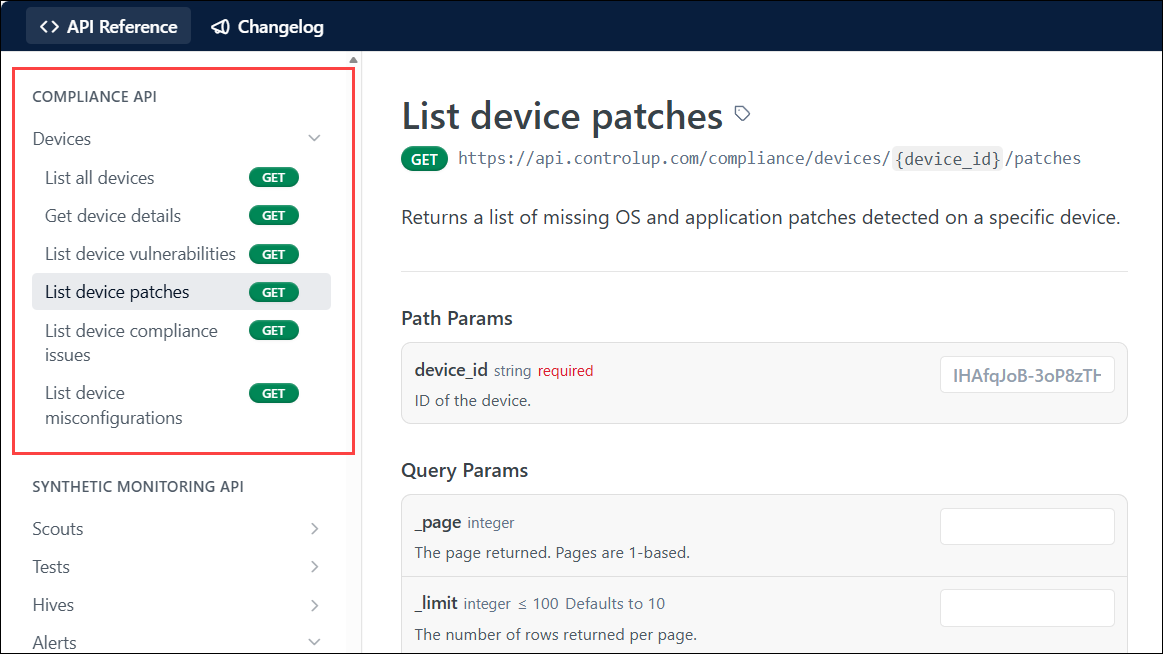
You can now use our REST API to get compliance information from your devices, letting you create your own automations, integrations, or custom reporting.
Fixes
Incorrect Microsoft Defender Antivirus status (Dec 16) - Resolved an issue where the Controls column on the Devices page incorrectly reported Microsoft Defender Antivirus as not running (grayed-out icon) when the software was active.
Notification snooze duration (Dec 16) - The user’s selected snooze duration is now correctly respected for application close and device reboot notifications.
Stability improvements - (Dec 16) Implemented general improvements to UI and Agent stability.
ControlUp for VDI
See details in the Latest VDI Version release notes.
For previous versions, see ControlUp for VDI (Real-Time DX versions).
Go to the Download Center to get this latest build for the Real-Time DX Console and Agents.
Need help? Contact your support representative.
Synthetic Monitoring
Note: Cloud and Custom hives are periodically released. For the latest information, see Cloud and Custom Hive Release Notes.
Updated Permission Settings (Dec 29)
Synthetic Monitoring permissions are now managed at a granular permission level, instead of relying only on predefined roles. Previously, access was granted through fixed roles with bundled permissions. Now, you can assign individual permissions for Synthetic Monitoring features, giving you:
Clear visibility: See exactly which actions a role or user can perform.
More precise access control: Grant only the permissions required, without over-privileging users.
Better alignment with real usage: Permission settings reflect how teams actually work in Synthetic Monitoring.
API for managing alert policies (Dec 16)
No more manually creating and updating alert policies for all your Scouts! Use the following new API endpoints to programatically manage your alert policies:
List alert policies for a Scout
Get alert policy details
Create alert policy
Update alert policy
Delete alert policy
List all integrations (used for integrating alert notifications with ServiceNow and Microsoft Teams)
Workflows
New Features
We're rolling out some of our new features gradually to ensure a smooth and stable experience. If you don't see a new feature in your organization yet, don't worry - it will be available soon.
ServiceNow Listener Trigger (Dec 24)
We’ve added a new ServiceNow Listener trigger that enables you to automatically start workflows based on real-time events or record changes in ServiceNow. It supports more responsive, event-driven automations, helping you streamline processes and reduce manual intervention.
New Integrations! (Dec 24)
Manage your Google Cloud Platform resources with the following integrations:
GCP Apps Script
GCP BigQuery
GCP IAM
Google Gemini: Manage Gemini requests and responses.
OpenAI (ChatGPT): Manage ChatGPT requests and responses.
Perplexity AI: Send requests to Perplexity.
Shodan: Monitor and enrich data about internet-connected devices and potential security vulnerabilities.
X.AI (GROK): Manage GROK requests and responses.
Node Categories Enhancement (Dec 16)
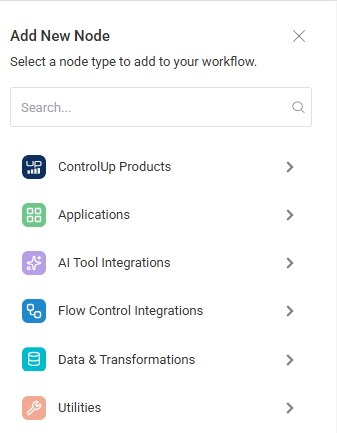
We’ve introduced categories on the Add New Node sidebar and modal in the flow builder canvas. This enhancement makes it faster and simpler to find the nodes you need.
Run History Enhancement (Dec 16)
We've introduced several key improvements to the flow execution experience and the Run history page. These enhancements provide better control and visibility during and after flow execution, including the ability to cancel a running flow directly from the Run history page.
ControlUp for Desktops Integration - New Actions (Dec 16)
We’ve added the following actions to the ControlUp for Desktops integration:
Bulk Action
Complete Survey
Create Alert
Delete Alert
Get Alert
List Alerts
Get Custom Report
List Custom Reports
Get Data Index
Get Index Mappings
Get Survey
Get Survey Answers
Get Survey Results
List Data Indices
List Groups
List Surveys
List Tags
Pause Survey
Publish Survey
Resume Survey
Update Alert
Flow Data Display Enhancement (Dec 16)
When you view a node after running a flow, large payloads are now fetched separately. If a payload is too large, the system will request it on demand and display the full data once retrieved successfully.
ControlUp for Desktops Integration Enhancement (Dec 10)
We’ve enhanced the Create Custom Index action in the ControlUp for Desktops integration with a new option: Add Current Timestamp. It lets you dynamically stamp indices with the exact time of creation, delivering greater precision and auditability in your data management flows.
Date Manipulations Node Enhancement (Dec 10)
We've enhanced the Format action of the Date Manipulations node to include the new time formats RFC 2822 and Unix Epoch.
New Integrations! (Dec 10)
Azure Automation: Run runbooks and manage your Azure automation resources directly from your flows. You can streamline operational tasks and strengthen governance across your cloud environment.
Zoom: Automate common communication and meeting management tasks, enabling you to manage users, meetings, and recordings directly from your flows.
Forms is now GA! (Dec 4)
The Forms feature is now generally available (previously in beta). The feature enables creating and deploying structured, hosted HTML forms that connect directly to your flow logic.
We’ve also added an option to deploy your form on a Public URL so any user, including those not logged in to ControlUp, can access and submit them to trigger a flow.
Canvas Enhancement - Auto Layout (Dec 4)
We’ve improved the Auto layout option in the flows canvas to give you more flexibility when building your flows. You can use Auto layout even if your flow contains unconnected or floating nodes so you can organize your canvas without having to link every element on the canvas.
Run Flow Improvement (Dec 4)
You can now run a flow even if one or more nodes have configuration errors, provided those nodes are unconnected (floating) and not part of the active execution path. This ensures that you can test and deploy your main flow logic without being blocked by components that may still be under construction.